
PowerPoint notes on Mac
Readable PowerPoint speaker notes on one Mac screen.
Use NotesPresenter when PowerPoint notes are too small or hard to manage while presenting. Keep readable notes, the current slide, and timing beside your deck.
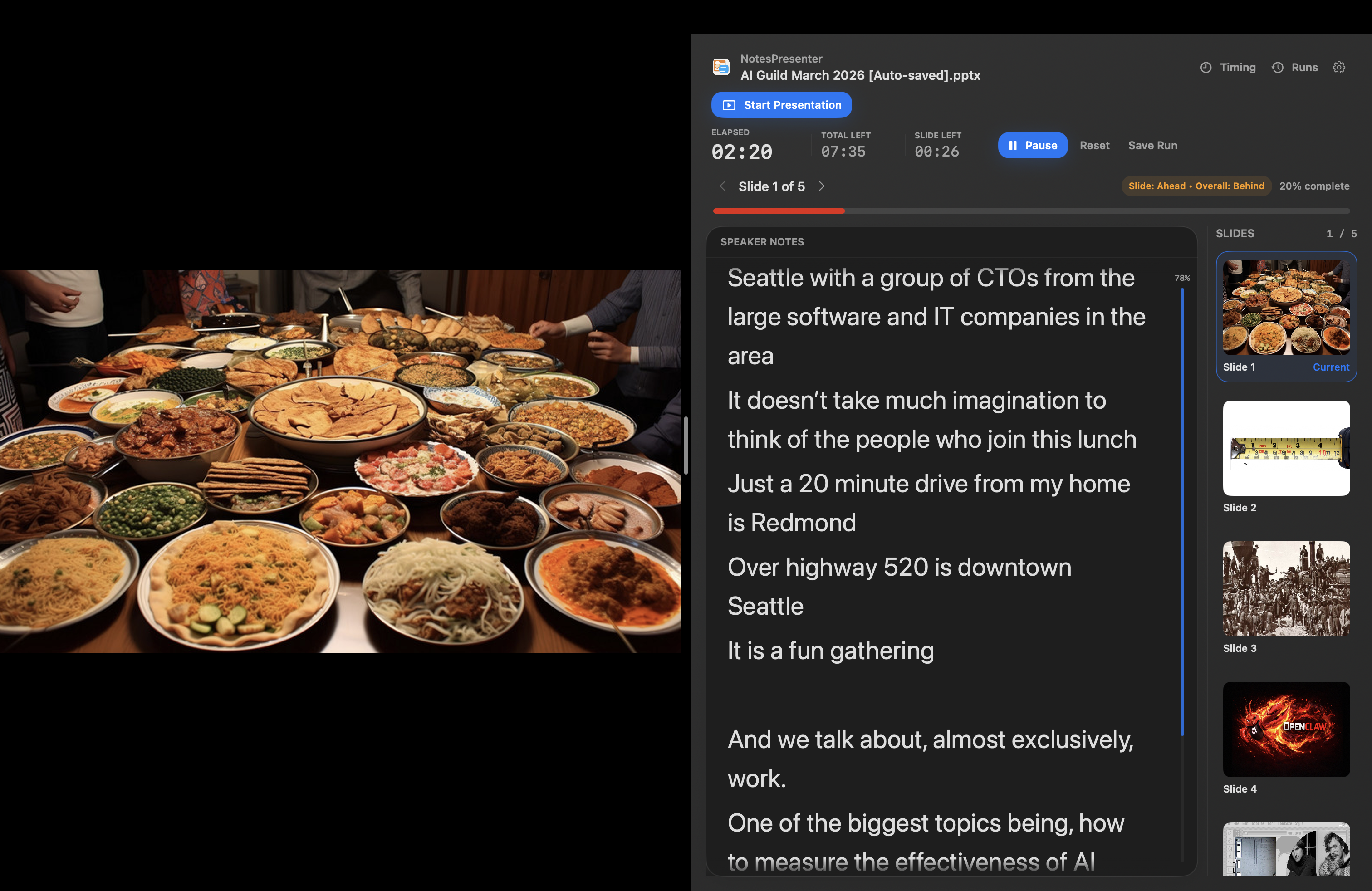
- Read larger PowerPoint speaker notes
- Keep notes connected to the current slide
- Use timing and pace signals while you present
Short answer
Can I use PowerPoint notes like a teleprompter on Mac?
Yes. NotesPresenter gives PowerPoint speaker notes a readable delivery view while keeping them tied to the current slide.
Why this helps
A focused notes view for presenters who cannot rely on PowerPoint Presenter View.
Notes follow your deck
Each note stays connected to its PowerPoint slide, so you are not reading from a separate script.
Larger text while presenting
Adjust the note view so your talking points are readable from your normal presentation distance.
Timing beside your notes
Keep pace and rehearsal timing visible without switching away from the notes you need.
Setup steps
Set up a clearer notes view in three steps.
 1
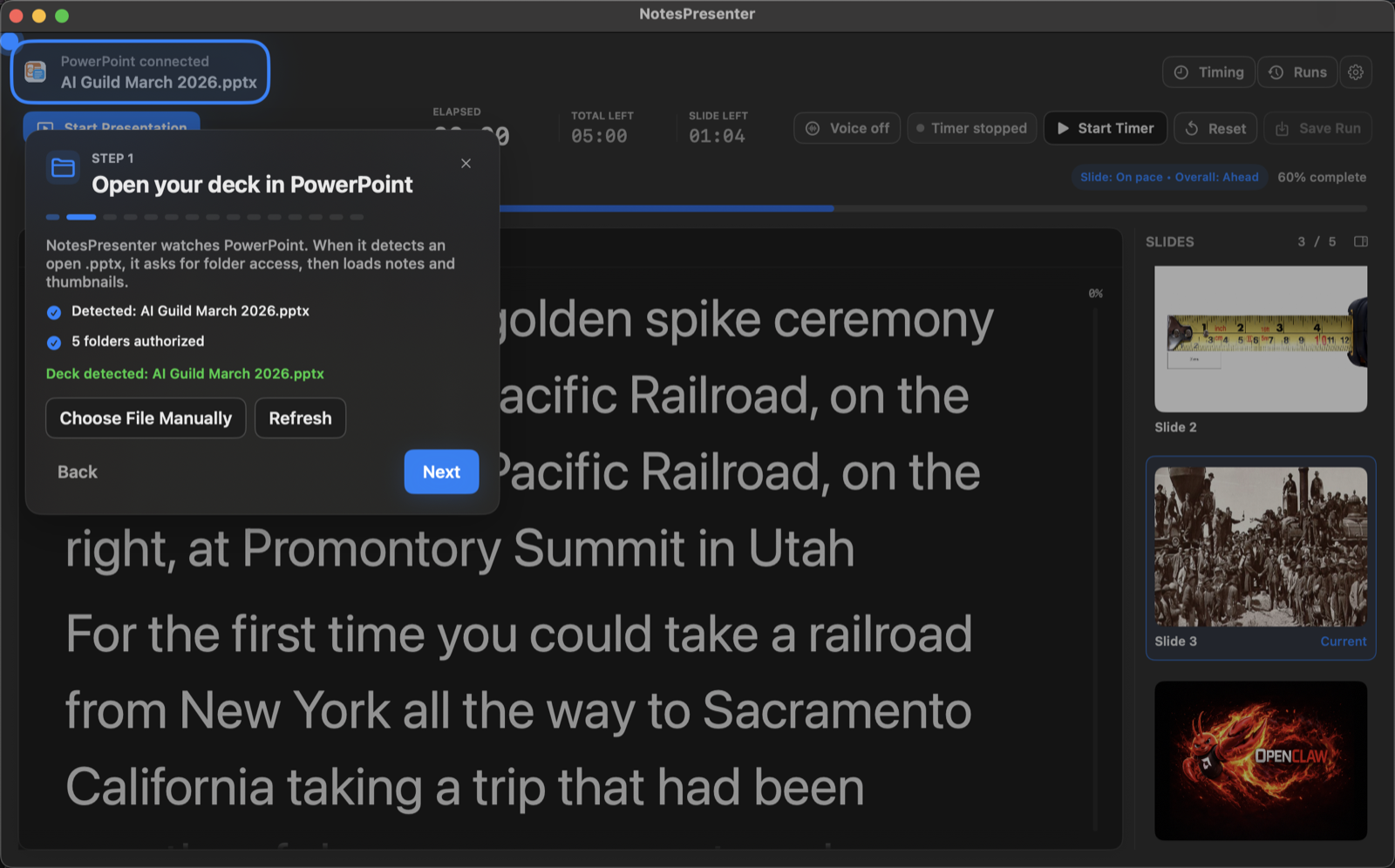
1Open your PowerPoint file
Load the deck in NotesPresenter so each slide note appears in the delivery view.
 2
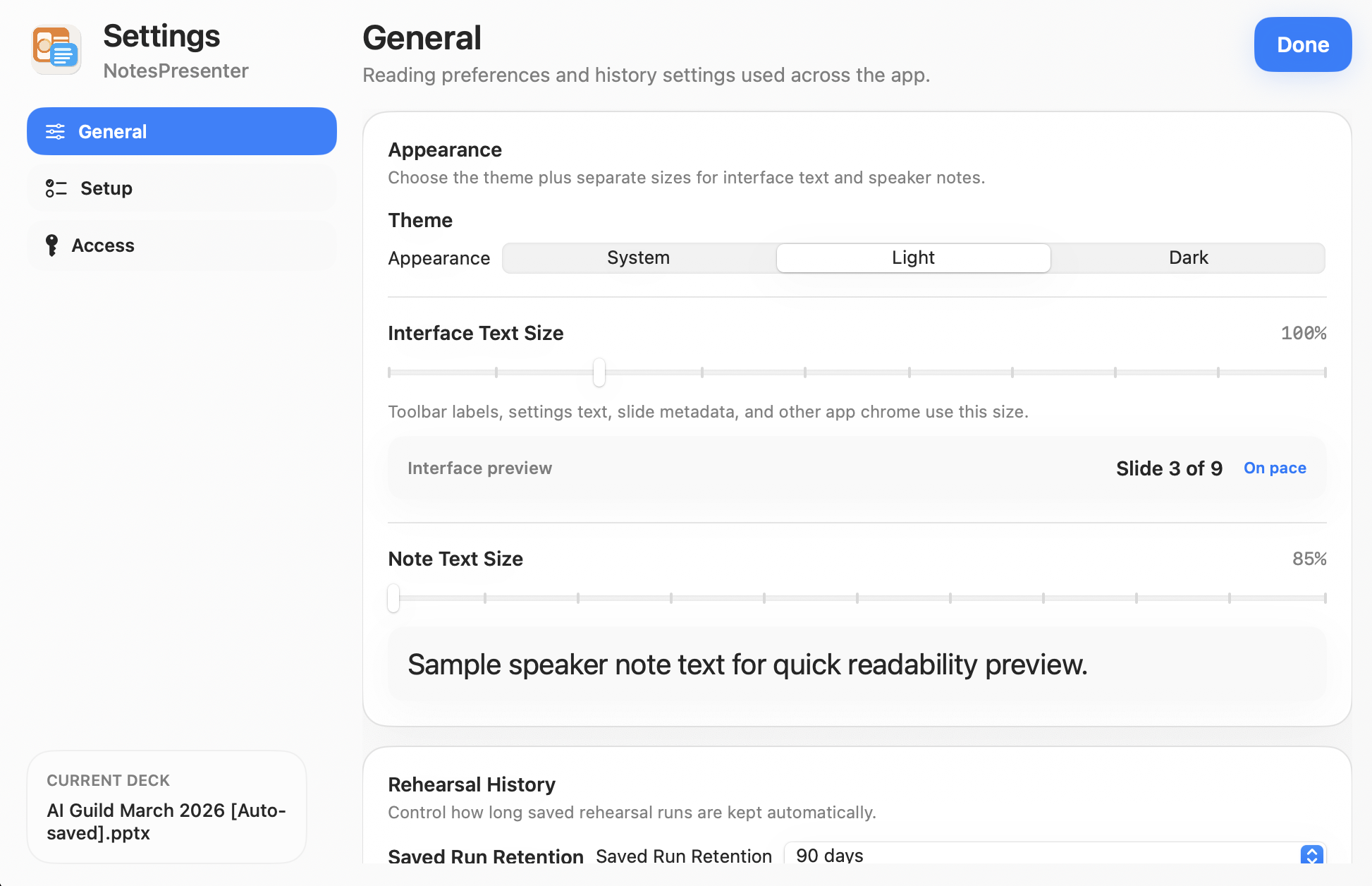
2Adjust note readability
Choose the text size and appearance that make your notes comfortable to read.
 3
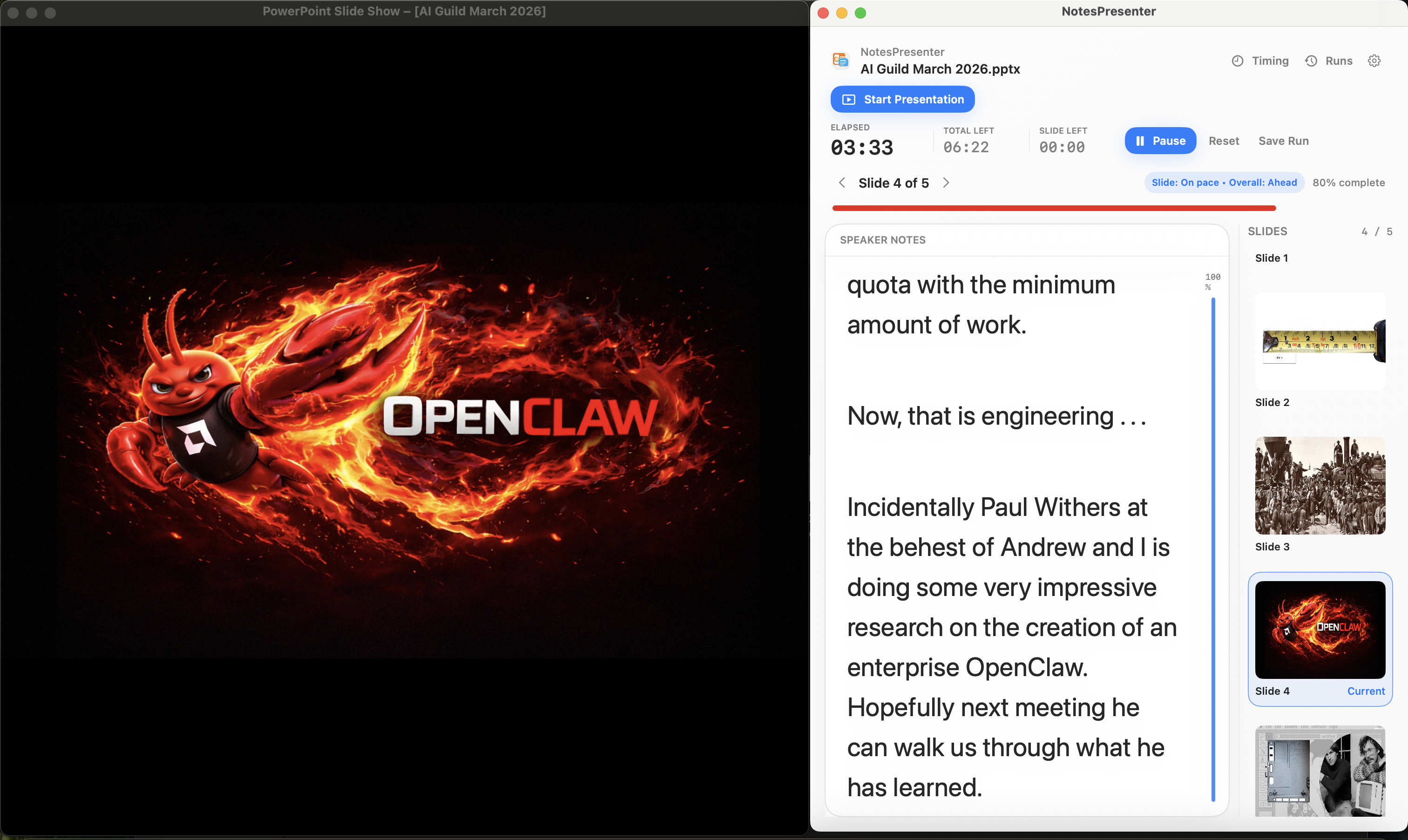
3Present beside PowerPoint
Keep NotesPresenter beside PowerPoint for notes, slide context, and timing.
Presentation workflow
Share the deck. Keep the notes.
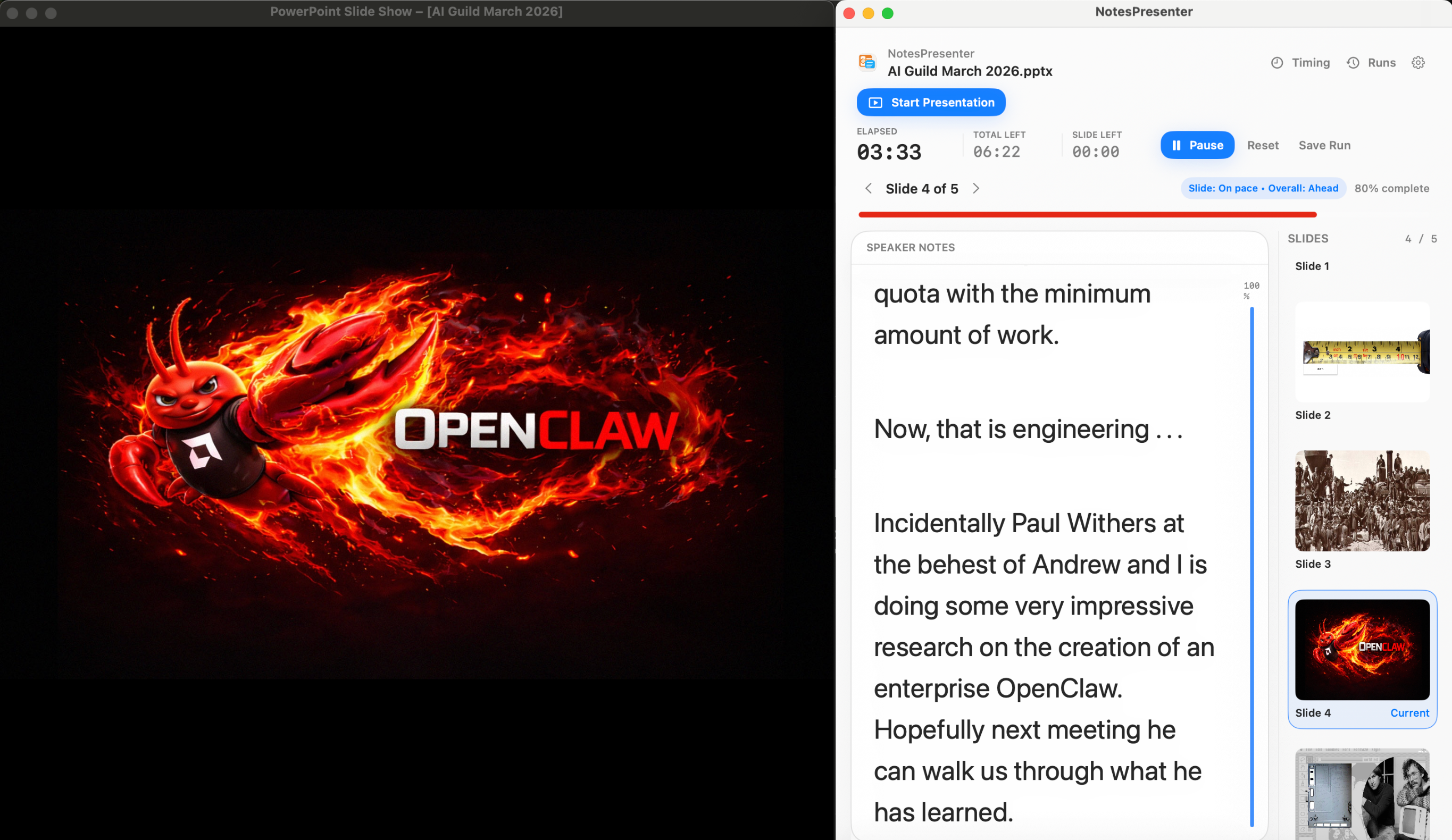
The safest one-screen setup is simple: prepare notes locally, share only PowerPoint, and keep NotesPresenter visible to you.
Default sharing rule
Choose the PowerPoint window in Zoom, Teams, or Meet. Do not share the full desktop.
Step 01
Open the deck
Load your PowerPoint file in NotesPresenter so your slide notes and timing plan are ready beside the deck.
You see
The deck notes, slide thumbnails, and timing plan before the presentation starts.
Audience sees
Nothing yet. This is your private setup step.
Result
Your speaker notes are ready before Zoom, Teams, or Meet starts sharing.
Onboarding flow
Learn the workflow before your first talk.
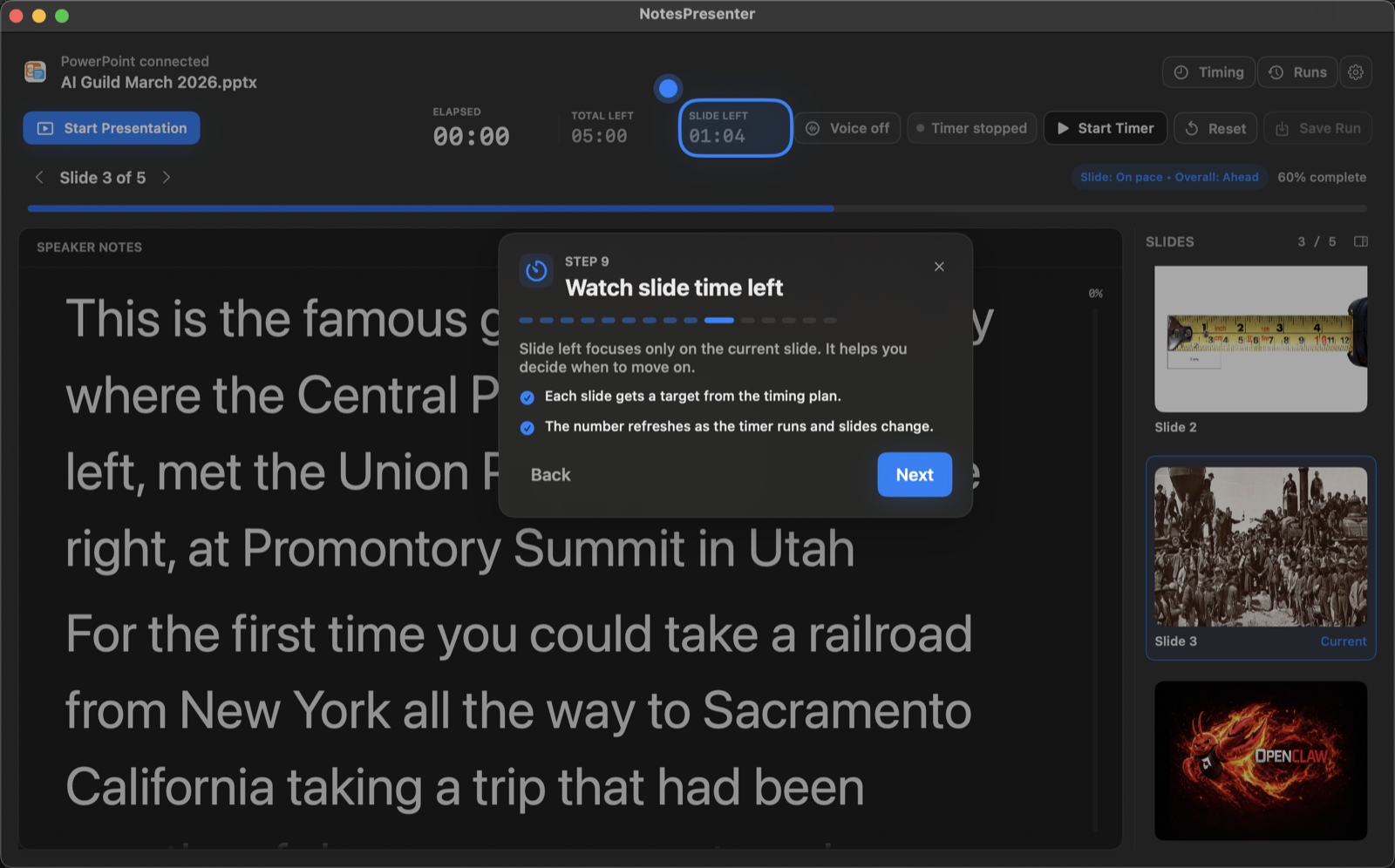
The onboarding walkthrough covers deck connection, private notes, presentation start, and timing so the one-screen setup is clear before you go live.
View onboarding flow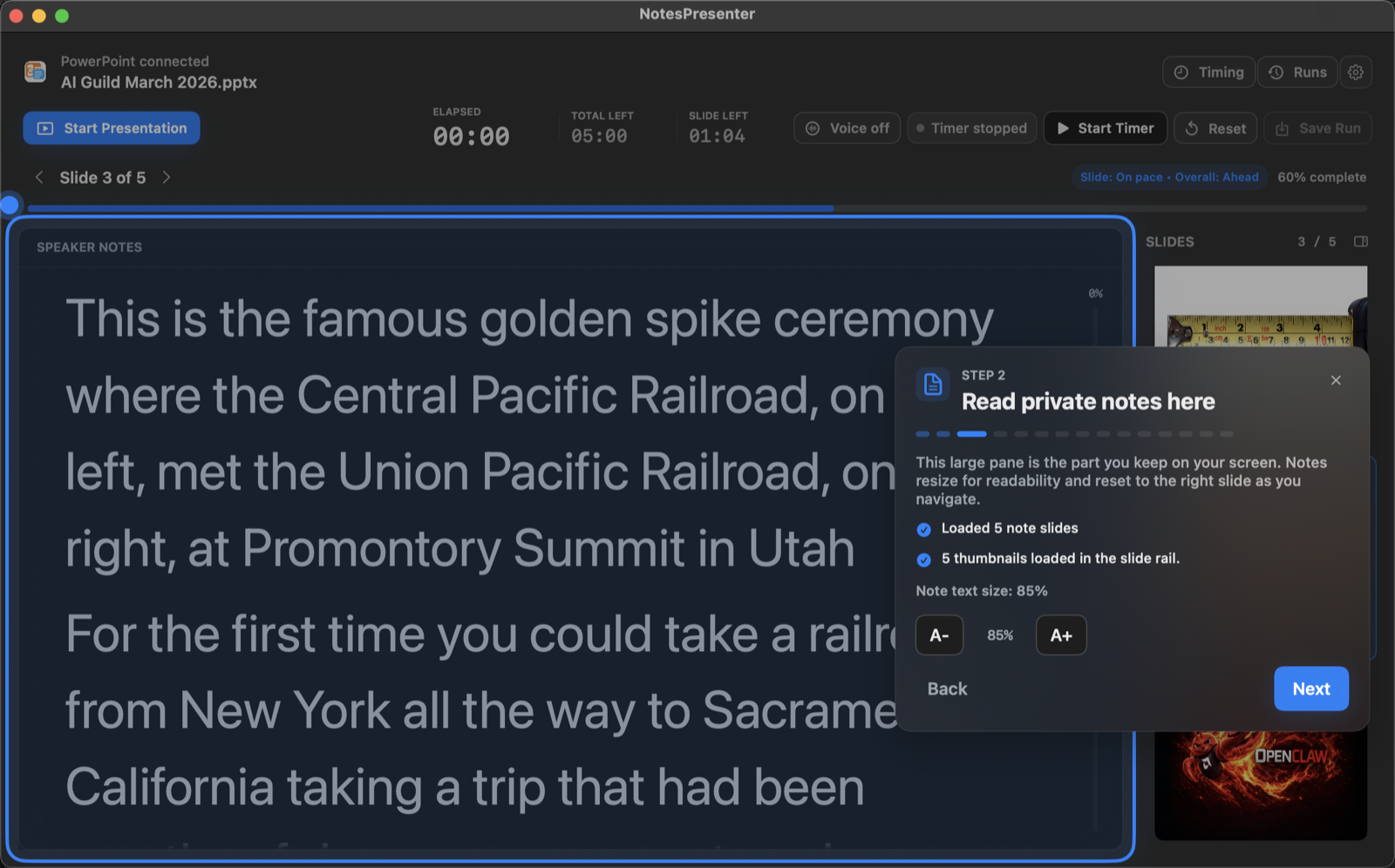
FAQ
Common questions about PowerPoint notes on Mac.
Why not use a generic teleprompter app?
Generic teleprompters show a separate script. NotesPresenter uses the speaker notes already attached to your PowerPoint slides.
Can I make PowerPoint notes larger on Mac?
Yes. You can use a larger, cleaner notes view while PowerPoint stays open for the actual presentation.
Is NotesPresenter a scrolling teleprompter?
NotesPresenter is a PowerPoint speaker notes companion, not a generic scrolling script app. It is useful when you want teleprompter-style readability plus slide context and timing.
Can I make PowerPoint notes easier to read?
Yes. NotesPresenter lets you use large speaker notes and adjust appearance so the notes are readable while PowerPoint is open.
Does it follow my PowerPoint slides?
Yes. NotesPresenter is built around PowerPoint slide notes, current-slide context, thumbnails, and presentation timing.
Will my audience see the notes?
No, when you share only the PowerPoint window in a meeting app. NotesPresenter remains private on your Mac screen.
Make PowerPoint speaker notes easier to read on Mac.
NotesPresenter is built for presenters who want readable PowerPoint notes with current-slide context and timing on one screen.