
Note readability
Make PowerPoint speaker notes easier to read on Mac.
NotesPresenter gives Mac presenters a readable notes view with adjustable appearance, current-slide context, and timing beside PowerPoint.
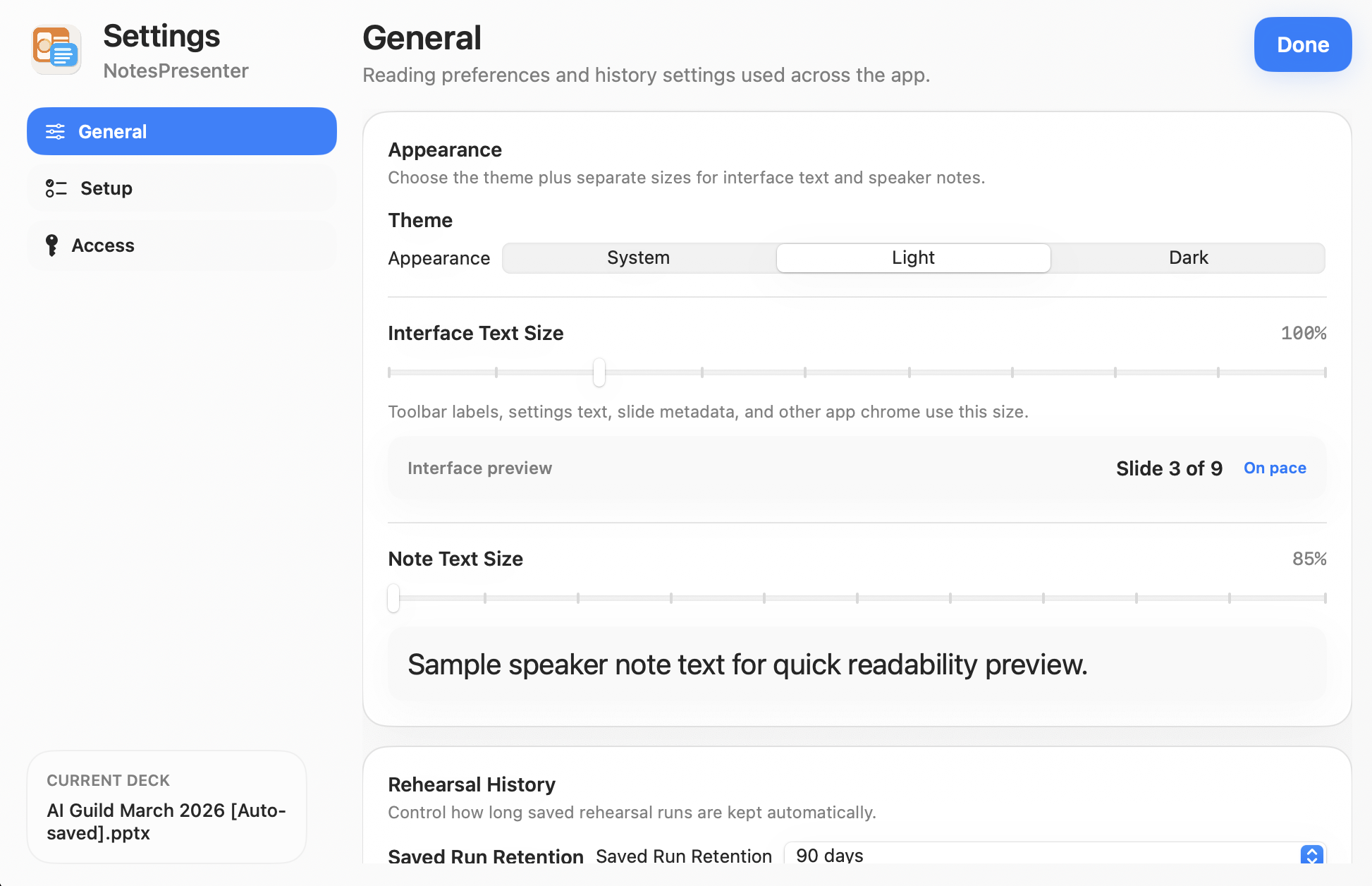
- Use larger speaker notes while presenting
- Choose light, dark, or system appearance
- Keep notes tied to the current PowerPoint slide
Short answer
Can I make PowerPoint speaker notes larger on Mac?
Yes. NotesPresenter provides a readable notes view with note text sizing and appearance controls.
Readability
For presenters who need notes they can actually read during delivery.
Increase note comfort
Use readable note text instead of squinting at small PowerPoint speaker notes during a live talk.
Match the room
Choose an appearance that fits lighting, screen brightness, and personal reading preference.
Keep slide context
Read notes with the current slide and thumbnails nearby so you do not lose your place.
Setup steps
Set up readable PowerPoint notes in three steps.
- 1
Open the PowerPoint deck
Load the deck in NotesPresenter so the app can show slide notes and current-slide context.
- 2
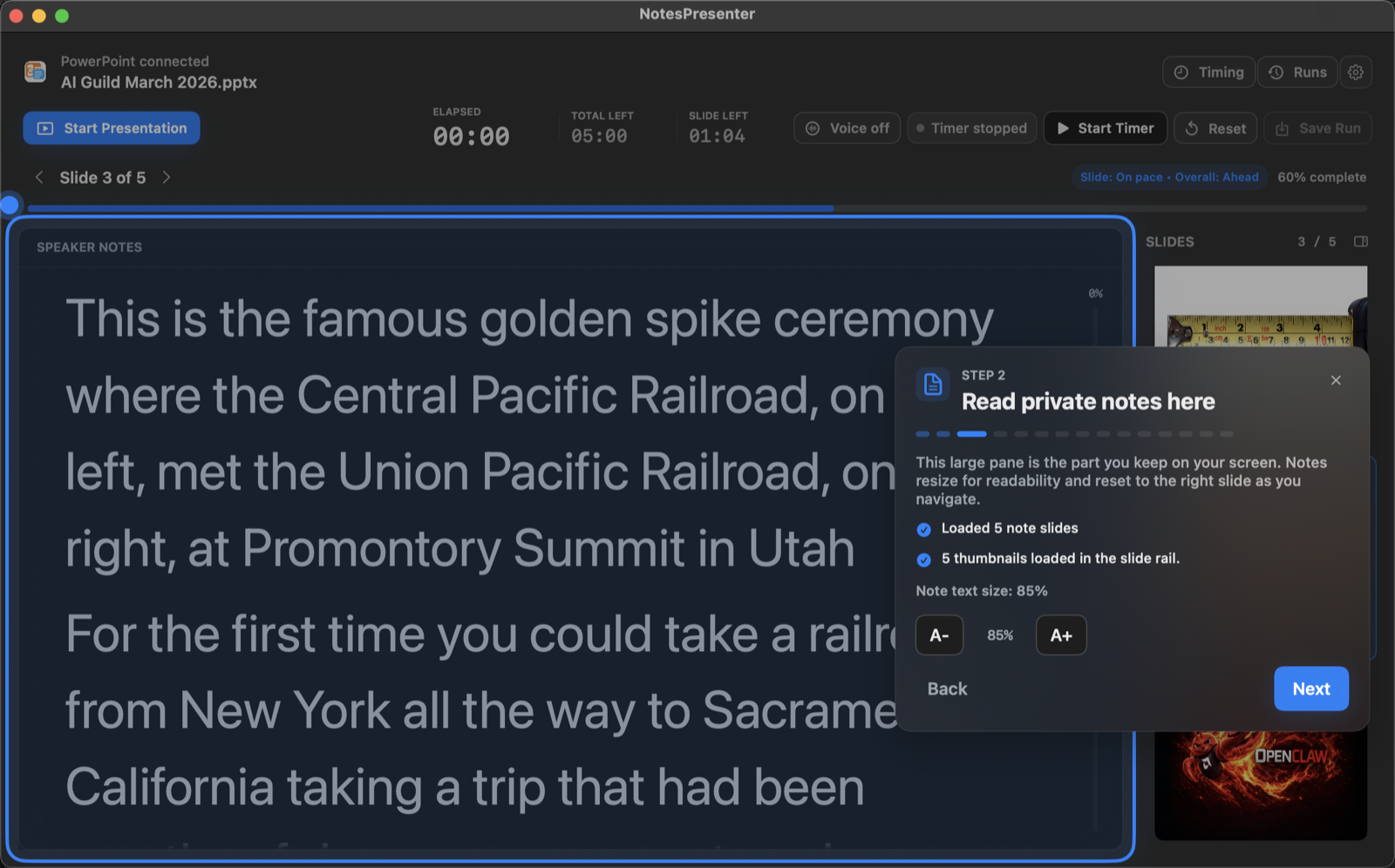
Adjust note readability
Set note size and appearance before presenting so your notes are comfortable to read.
- 3
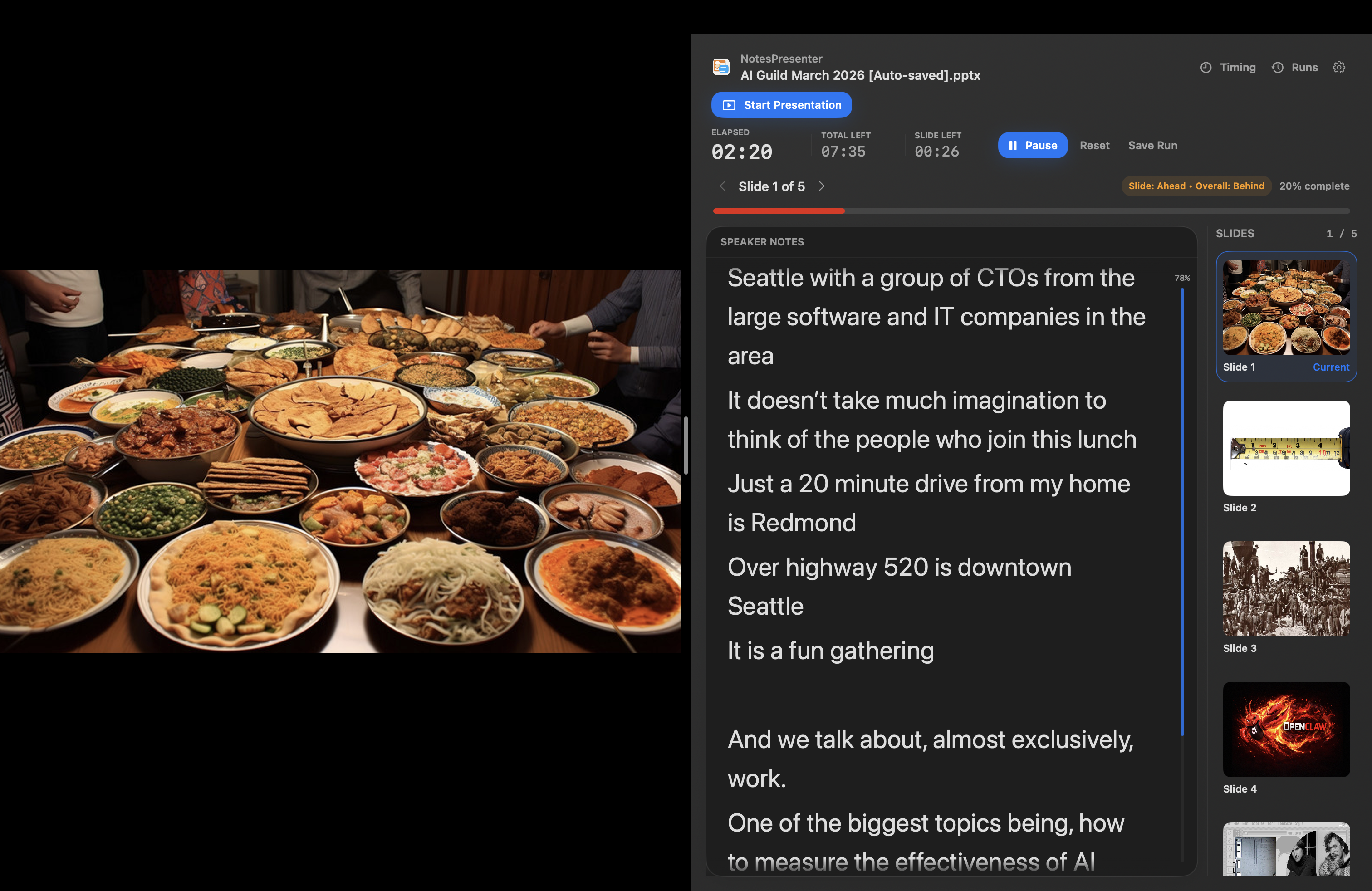
Present beside PowerPoint
Keep NotesPresenter beside the deck for readable notes, slide context, and timing on one Mac screen.
Presentation workflow
Share the deck. Keep the notes.
The safest one-screen setup is simple: prepare notes locally, share only PowerPoint, and keep NotesPresenter visible to you.
Default sharing rule
Choose the PowerPoint window in Zoom, Teams, or Meet. Do not share the full desktop.
Step 01
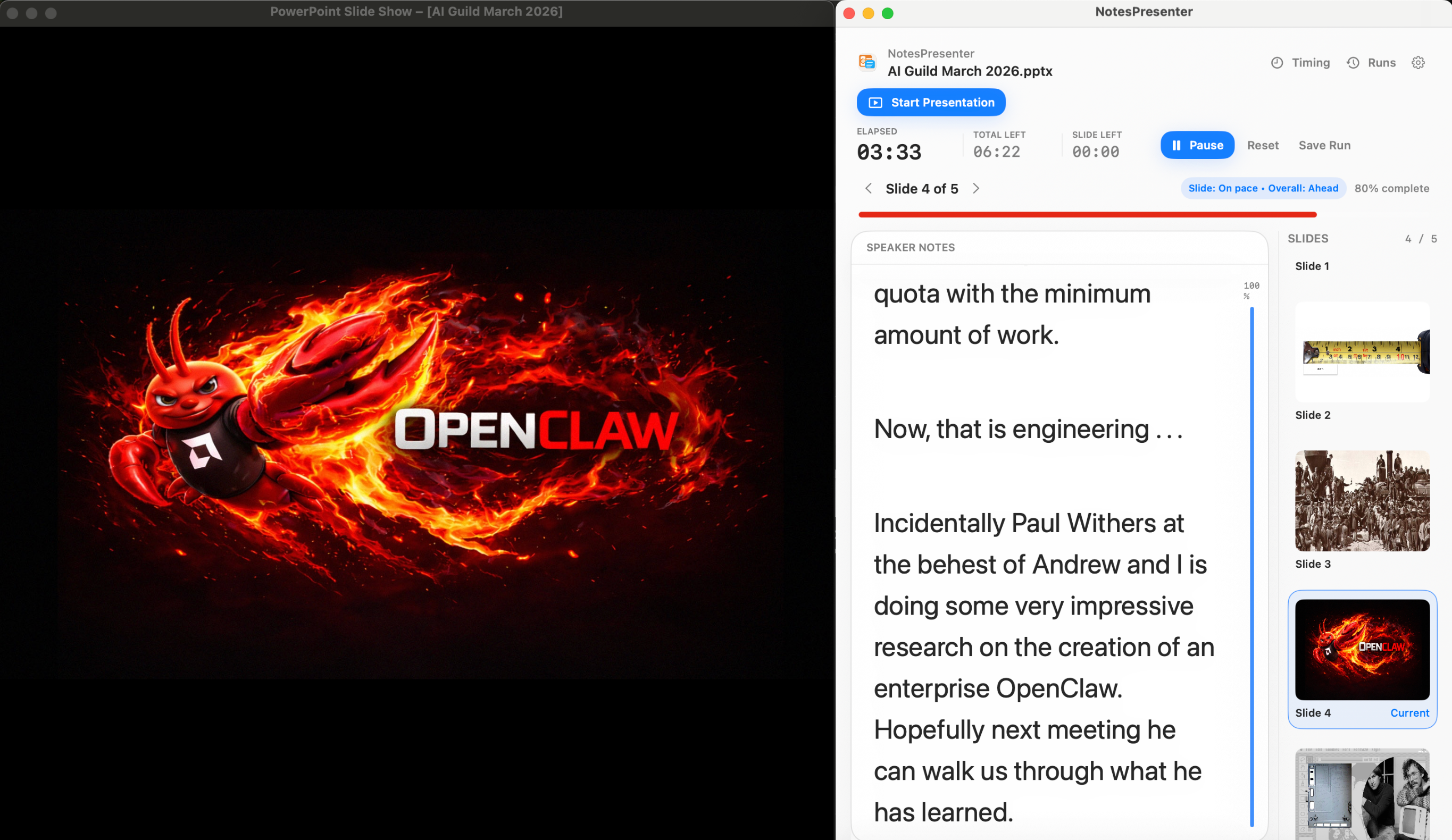
Open the deck
Load your PowerPoint file in NotesPresenter so your slide notes and timing plan are ready beside the deck.
You see
The deck notes, slide thumbnails, and timing plan before the presentation starts.
Audience sees
Nothing yet. This is your private setup step.
Result
Your speaker notes are ready before Zoom, Teams, or Meet starts sharing.
Onboarding flow
Learn the workflow before your first talk.
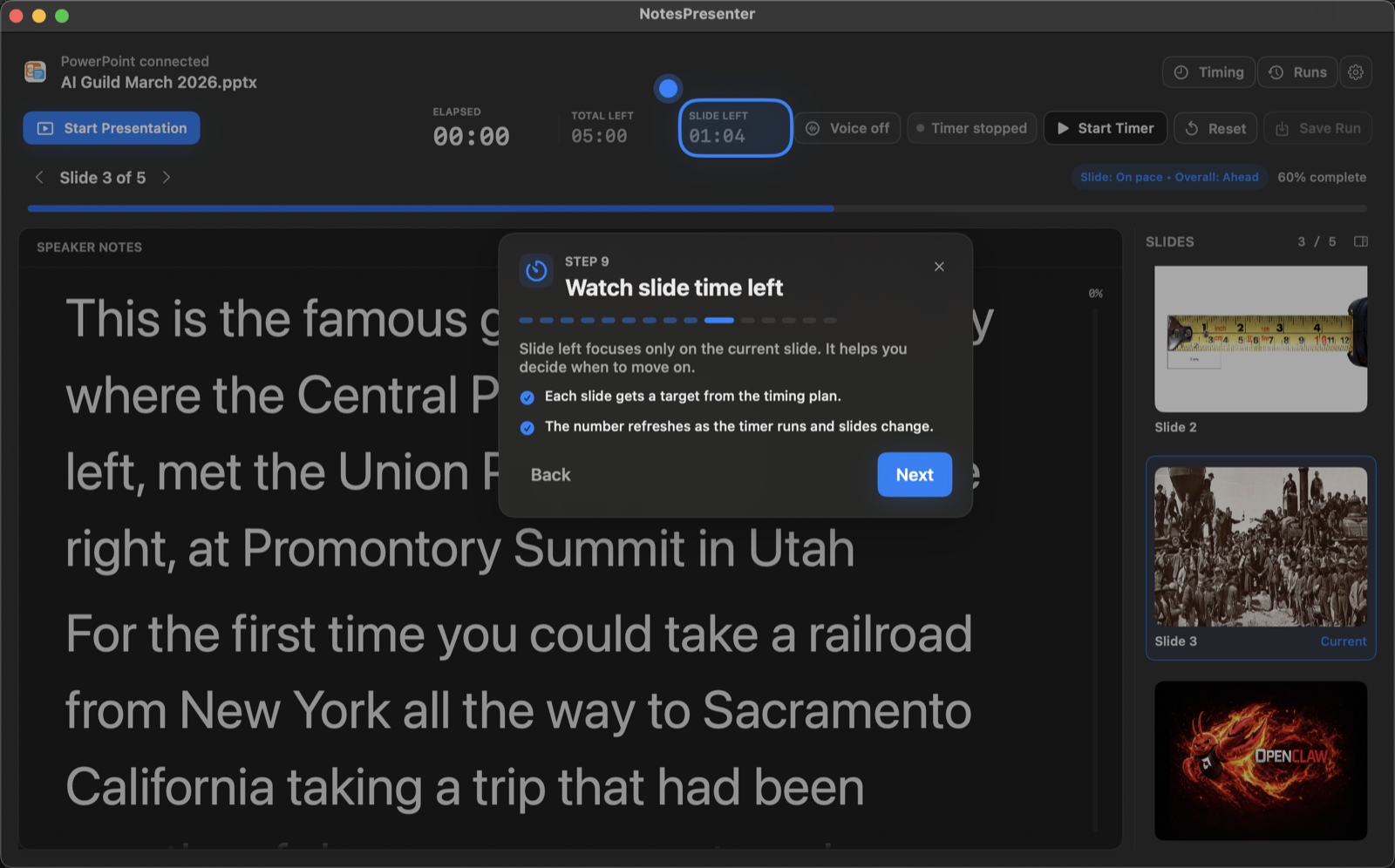
The onboarding walkthrough covers deck connection, private notes, presentation start, and timing so the one-screen setup is clear before you go live.
View onboarding flow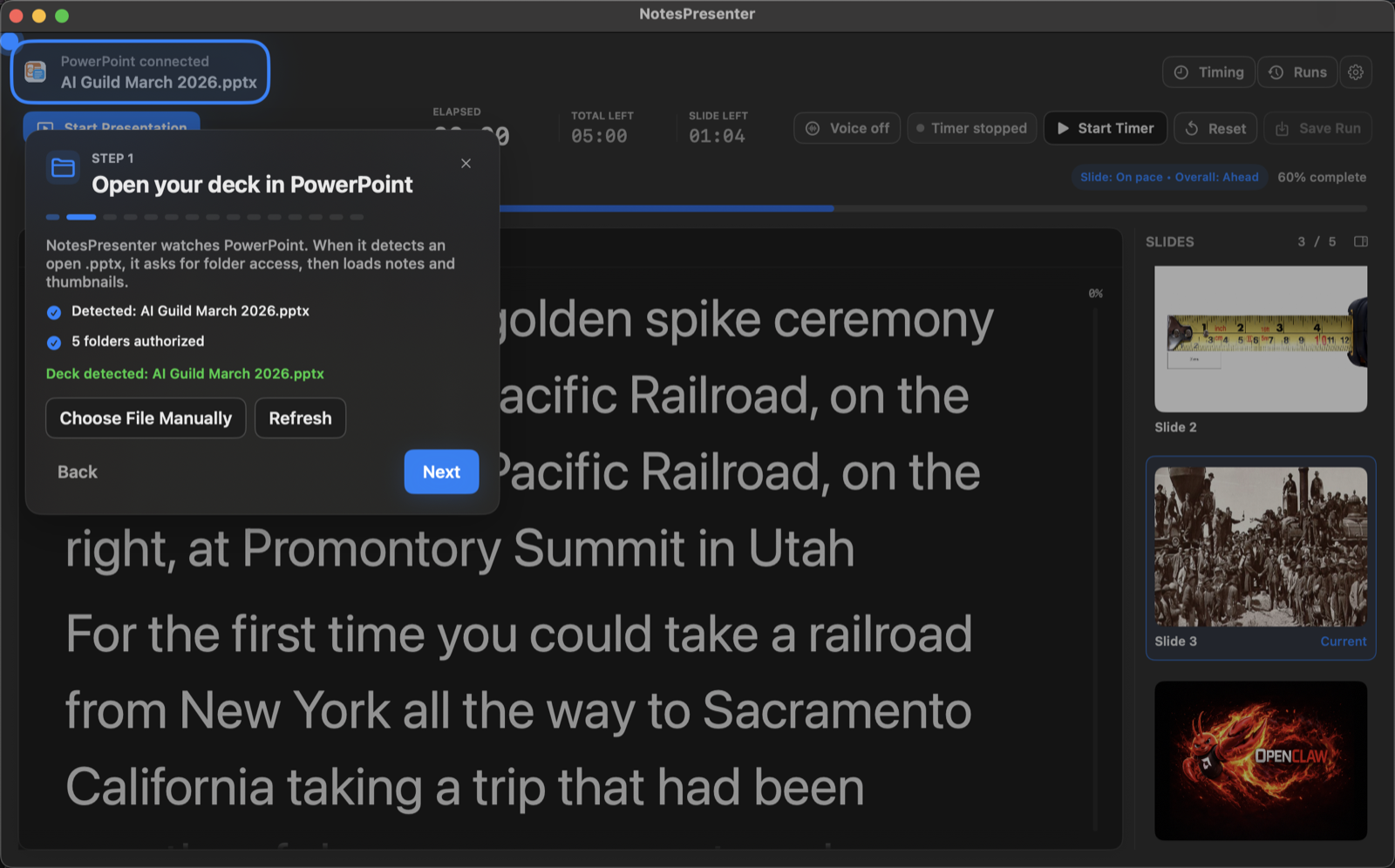
FAQ
Common questions about large PowerPoint speaker notes on Mac.
Are notes still tied to PowerPoint slides?
Yes. NotesPresenter keeps speaker notes connected to the current slide and thumbnail context.
Can I use large notes while screen sharing?
Yes. Share only the PowerPoint window so NotesPresenter stays private while you read large notes locally.
Can NotesPresenter make speaker notes easier to read?
Yes. It includes note text sizing and appearance settings for a more readable delivery view.
Does this work without a second monitor?
Yes. NotesPresenter is built for one-screen Mac workflows with PowerPoint and notes side by side.
Can viewers see the large notes?
No, not when you share only the PowerPoint window in your meeting app.
Does NotesPresenter change my PowerPoint file?
No. It reads the PowerPoint file locally and helps you present with readable notes beside the deck.
Read PowerPoint speaker notes comfortably on Mac.
NotesPresenter gives presenters larger, readable speaker notes with current-slide context and timing beside PowerPoint.