Comparison hub
Compare ways to see PowerPoint speaker notes on one Mac screen.
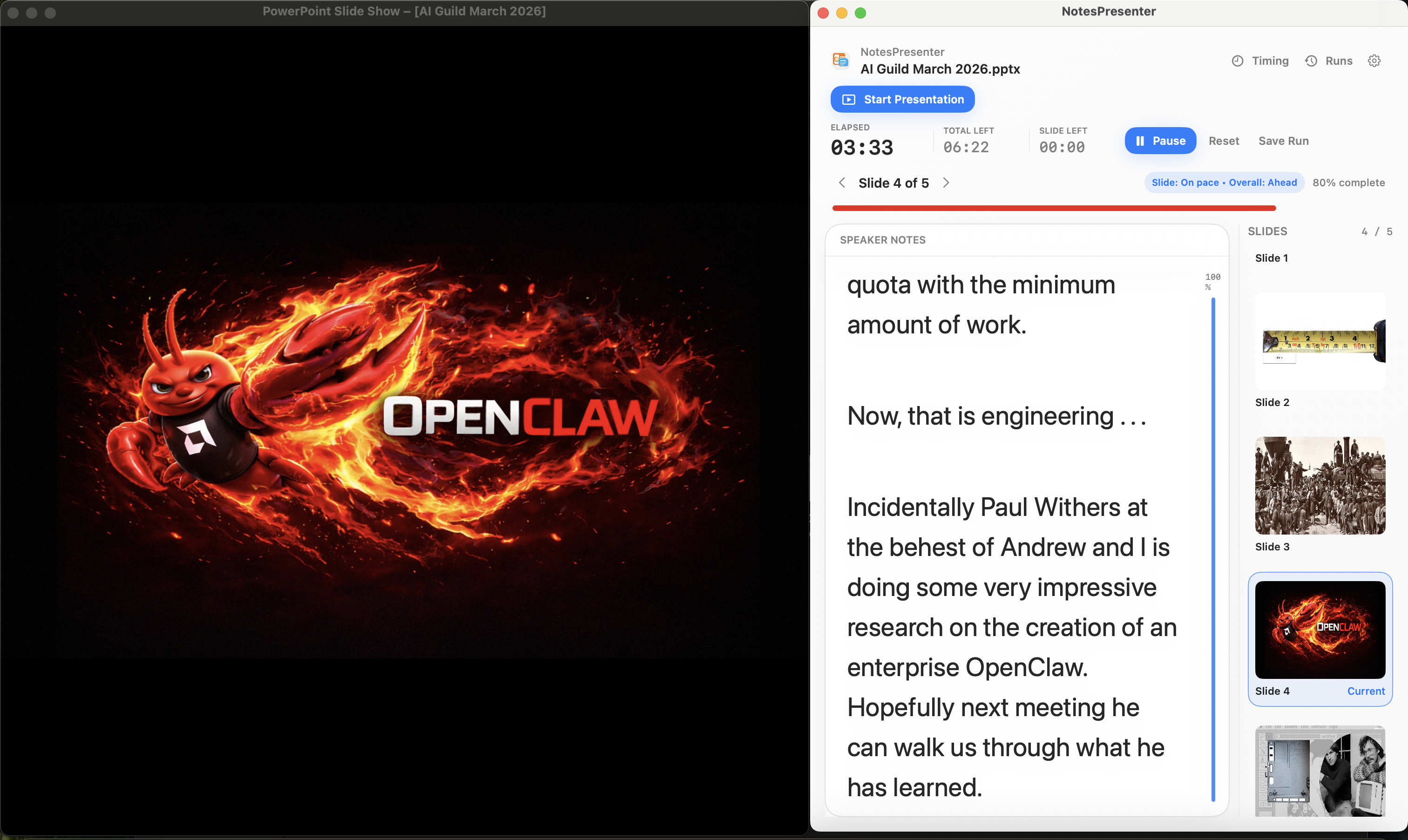
NotesPresenter is built for a narrow workflow: present a PowerPoint deck from one Mac screen while keeping private notes, slide context, thumbnails, and timing visible beside the deck.
Best fit
Pick the tool based on the presentation workflow, not the category name.
Use NotesPresenter when
- You present PowerPoint from one Mac screen.
- You need speaker notes, current-slide context, thumbnails, and timing beside the deck.
- You share PowerPoint in Zoom, Teams, Google Meet, webinars, classes, or demos.
Use built-in presenter views when
- You already have a reliable second display or presenter display setup.
- You are presenting in the native slide app and do not need a separate PowerPoint notes companion.
- You do not need per-slide timing plans or local rehearsal review inside a separate app.
Use a teleprompter overlay when
- Your script is independent from your PowerPoint slide notes.
- You want a scrolling text overlay above many apps.
- You do not need slide-linked notes, PowerPoint thumbnails, or deck-aware navigation.
Comparison table
NotesPresenter vs built-in presenter views, overlays, and ExtraPPT.
This table uses public docs and product pages. If a source does not list a feature, the table says "Not listed" instead of assuming support.
 NotesPresenterNotesPresenterOur app
 PowerPointPowerPoint Presenter View
 Google SlidesGoogle Slides Presenter View
 KeynoteKeynote Presenter Display
 OverlayTeleprompter overlay
 ExtraPPTExtraPPT Speaker Notes
Share the PowerPoint window while notes, context, and timing stay on your screen.
Microsoft documents private speaker notes with Presenter View across two monitors.
Google documents Presenter view and speaker notes for Slides presentations.
Apple documents a presenter display window with notes and current and next slides.
SpeechCue documents a transparent overlay that floats above slides and apps.
ExtraPPT documents speaker notes and slide previews in a floating window.
Built around opening a PowerPoint deck and sharing the PowerPoint window.
Presenter View is built into PowerPoint.
Presenter View is for Google Slides presentations in the browser.
Presenter Display is for Keynote presentations.
SpeechCue works over PowerPoint, Keynote, Google Slides, and meeting apps.
ExtraPPT detects the active PowerPoint presentation.
Shows PowerPoint notes, thumbnails, current slide context, and presenter controls.
Presenter View shows current slide, next slide, speaker notes, and slide navigation.
Google documents Presenter view with speaker notes.
Keynote presenter display can show presenter notes, current slide, next slide, and thumbnails.
SpeechCue is a script overlay; public docs do not describe slide-linked PowerPoint notes.
ExtraPPT lists speaker notes, slide previews, and standard PowerPoint keyboard controls.
Plan per-slide timing, monitor pace, and review rehearsal runs.
Presenter View includes pause/reset for the slide timer and current time.
The Google support page cited here documents speaker notes, not rehearsal timing tools.
The Apple source cited here documents presenter display behavior, not rehearsal timing analysis.
SpeechCue documents scroll speed controls, not slide timing analysis.
The ExtraPPT page cited here does not list timing or rehearsal review tools.
One-time unlock, no account, no cloud upload, and PowerPoint files stay on your Mac.
PowerPoint is part of Microsoft Office/Microsoft 365, not a standalone notes utility.
Google Slides is a Google Workspace/browser presentation tool.
Keynote is Apple presentation software for Mac.
SpeechCue states $9.99 one-time, no account, offline, and notes stay on your Mac.
ExtraPPT states no subscriptions, ads, hidden fees, or data collection.
Alternatives