
No second monitor
Use PowerPoint Presenter View without a second monitor.
NotesPresenter helps Mac presenters keep notes, slide context, and timing visible when PowerPoint Presenter View expects another display or is not showing notes.
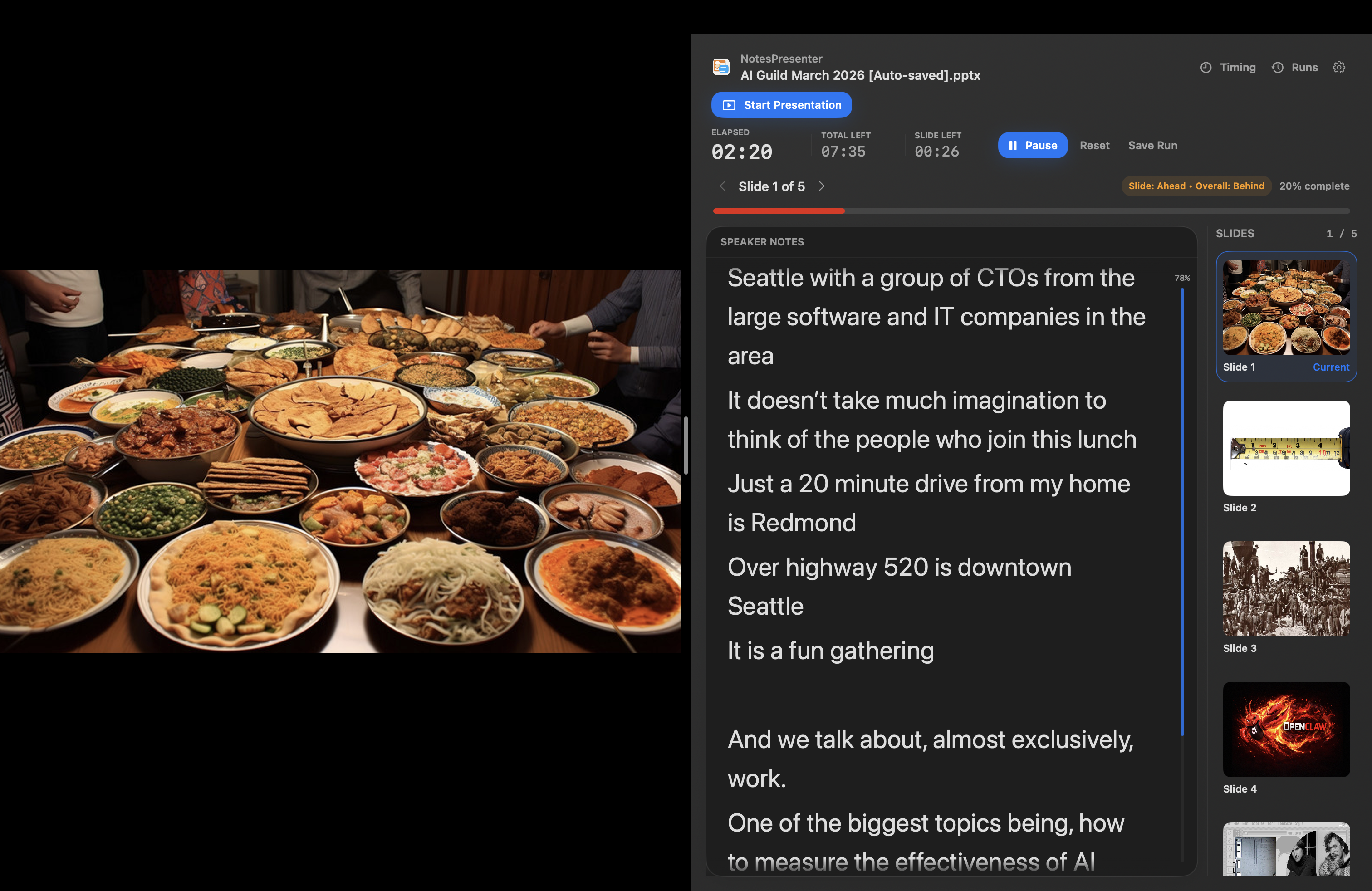
- Present when no second screen is available
- Keep speaker notes visible beside PowerPoint
- Share the deck without showing private notes
Short answer
What can I do if PowerPoint Presenter View is not showing notes?
Use NotesPresenter beside PowerPoint for private speaker notes, current-slide context, and timing on one Mac screen.
Fallback workflow
For presenters who cannot count on a projector display, iPad, or second monitor.
Use the screen you have
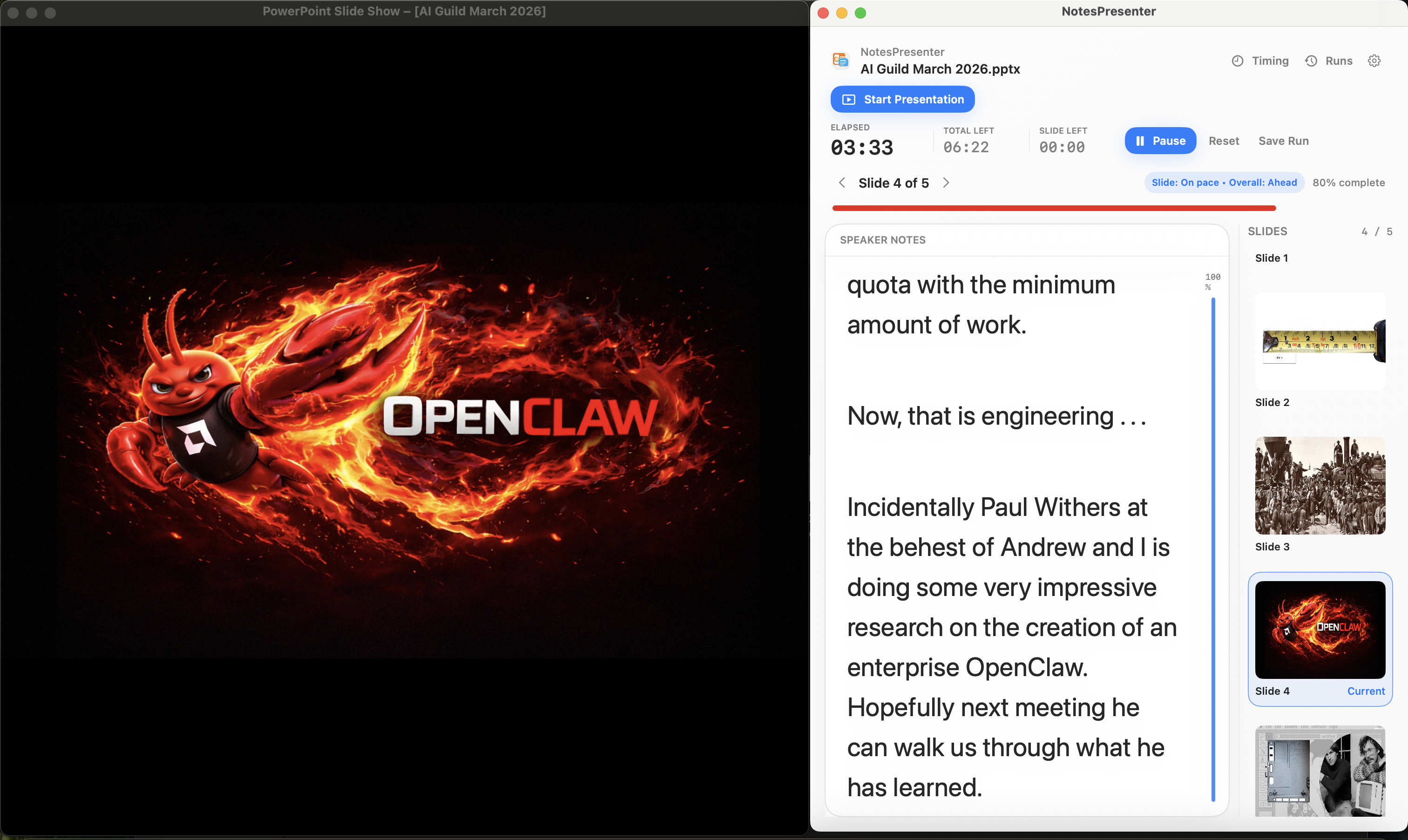
Keep PowerPoint and NotesPresenter visible together instead of needing another display for notes.
Keep notes private
Share the PowerPoint window during calls so your notes window stays outside the shared view.
Keep timing visible
Use pacing and rehearsal support while presenting from a single Mac screen.
Setup steps
Present without a second monitor in three steps.
- 1
Open the deck locally
Open PowerPoint and load the same deck in NotesPresenter for speaker notes and slide context.
- 2
Use one-screen layout
Arrange PowerPoint and NotesPresenter so the slide deck and notes are both visible.
- 3
Share the PowerPoint window
For remote presentations, share only PowerPoint so notes and timing stay private.
Presentation workflow
Share the deck. Keep the notes.
The safest one-screen setup is simple: prepare notes locally, share only PowerPoint, and keep NotesPresenter visible to you.
Default sharing rule
Choose the PowerPoint window in Zoom, Teams, or Meet. Do not share the full desktop.
Step 01
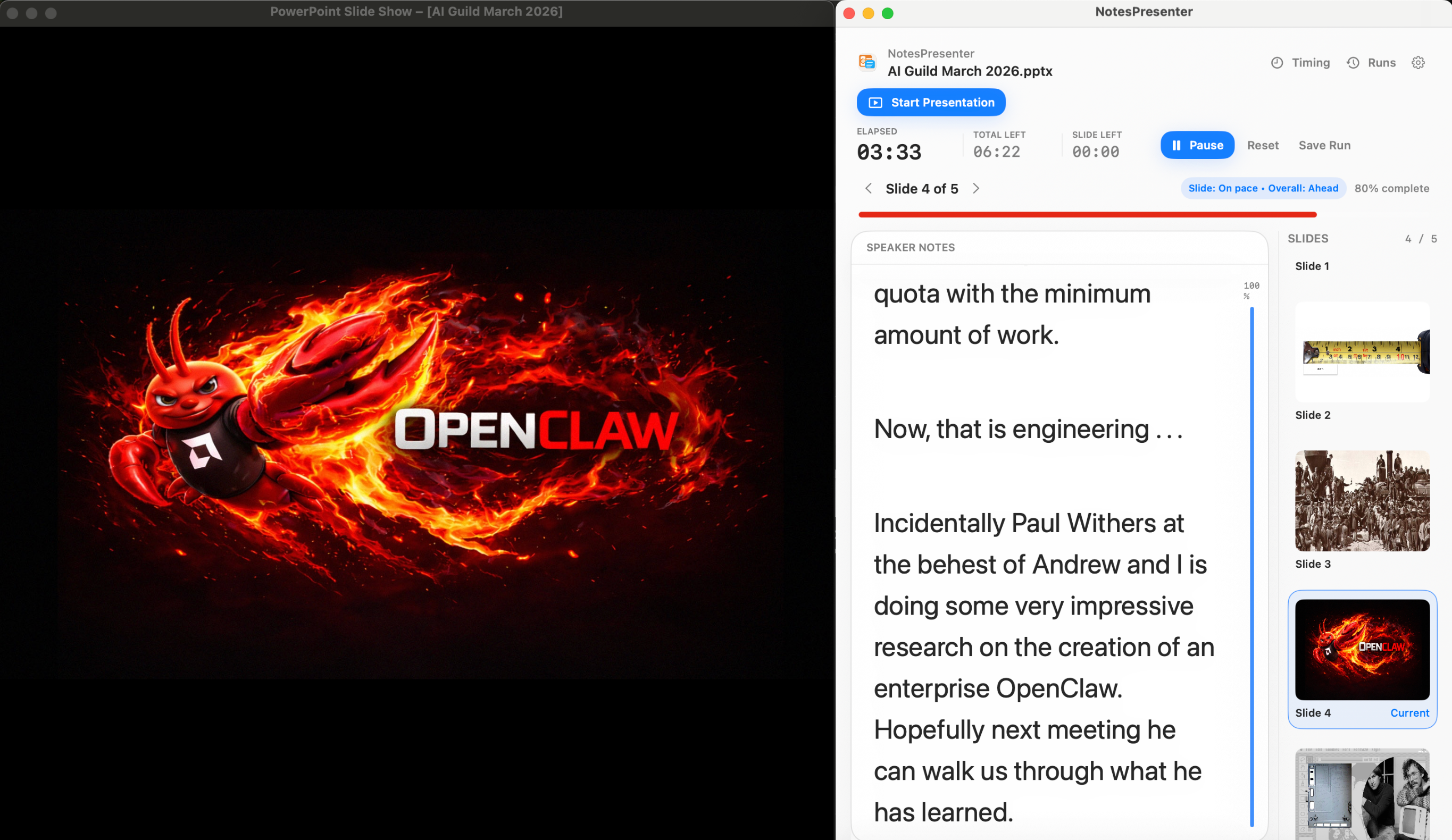
Open the deck
Load your PowerPoint file in NotesPresenter so your slide notes and timing plan are ready beside the deck.
You see
The deck notes, slide thumbnails, and timing plan before the presentation starts.
Audience sees
Nothing yet. This is your private setup step.
Result
Your speaker notes are ready before Zoom, Teams, or Meet starts sharing.
Onboarding flow
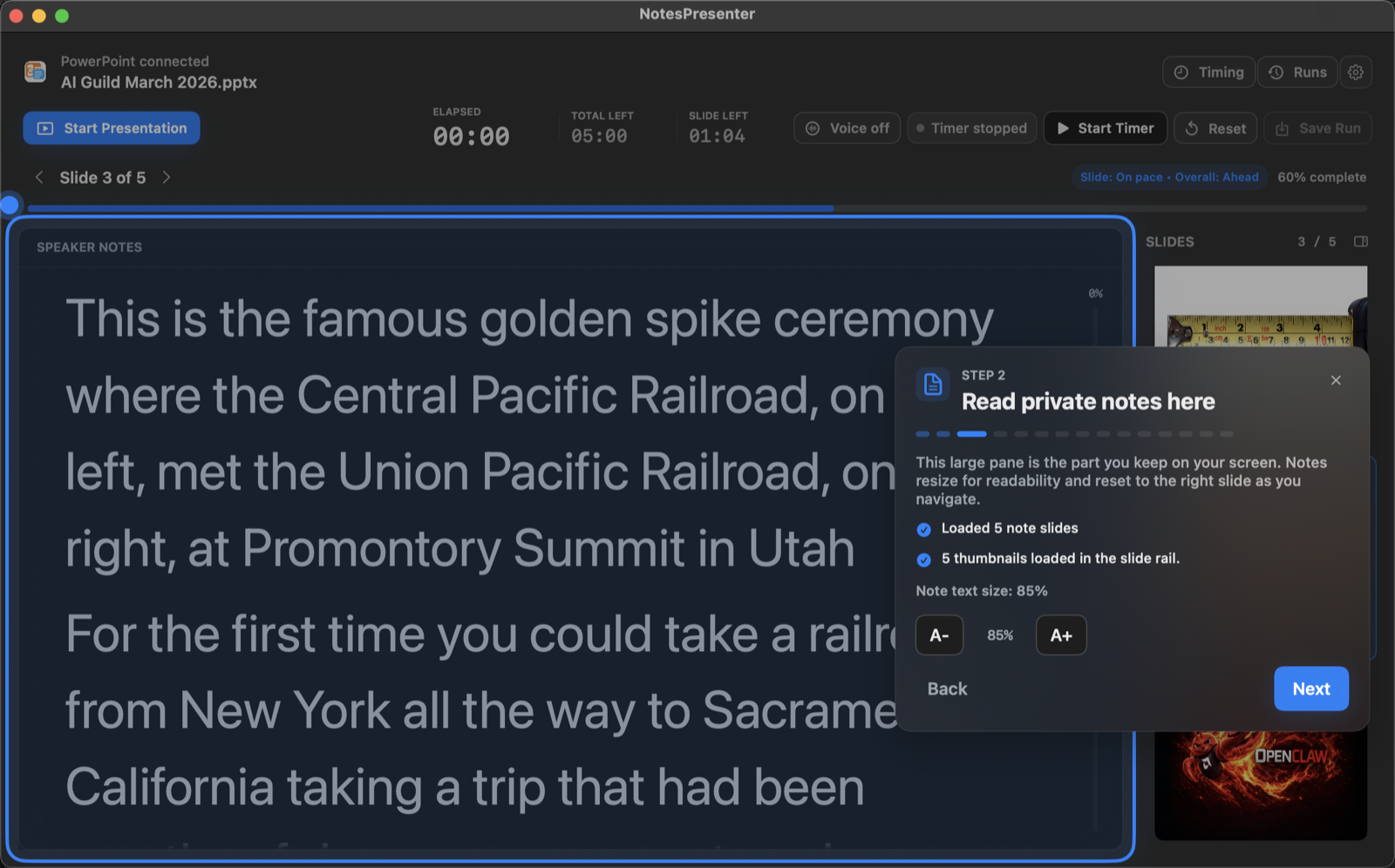
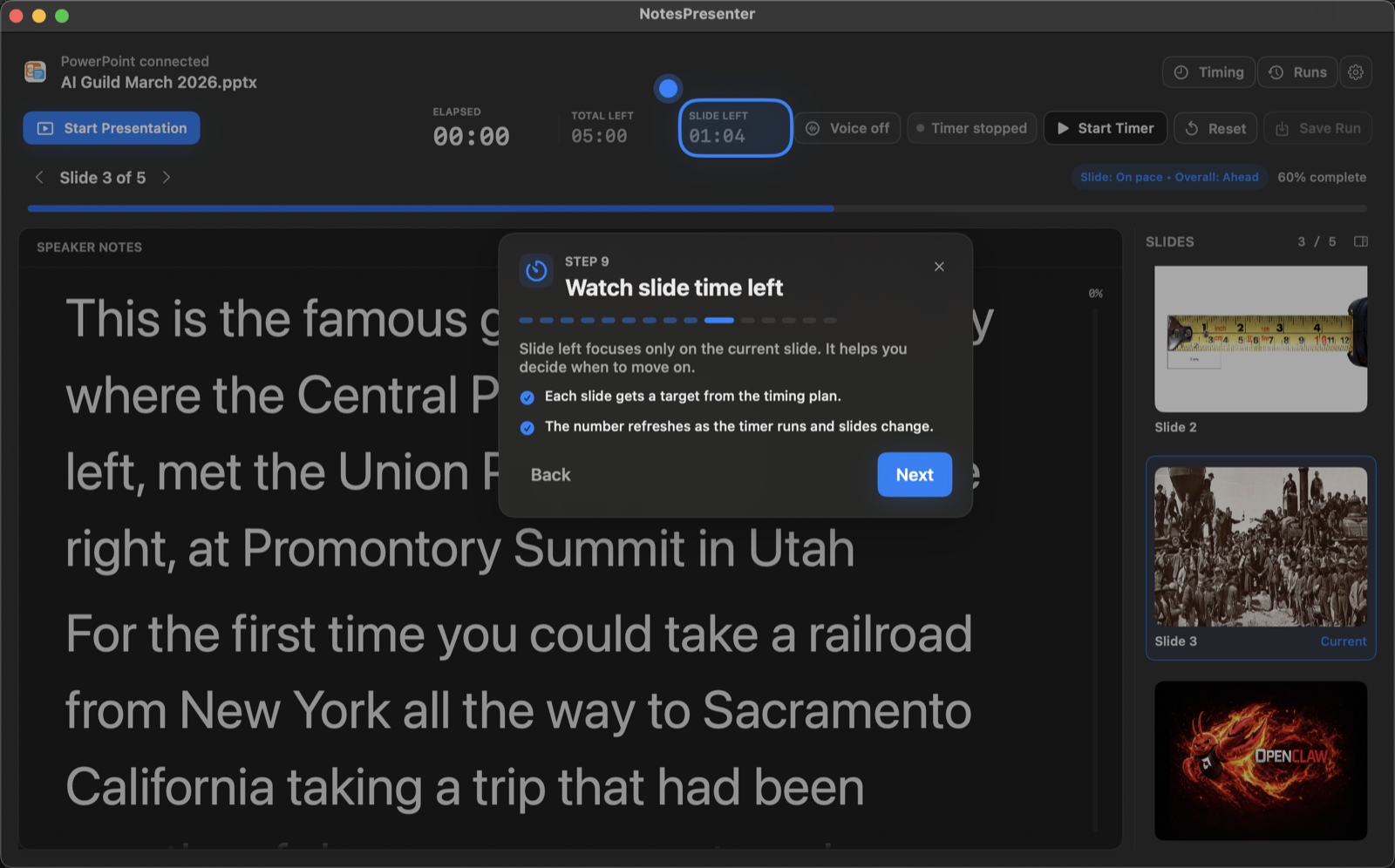
Learn the workflow before your first talk.
The onboarding walkthrough covers deck connection, private notes, presentation start, and timing so the one-screen setup is clear before you go live.
View onboarding flow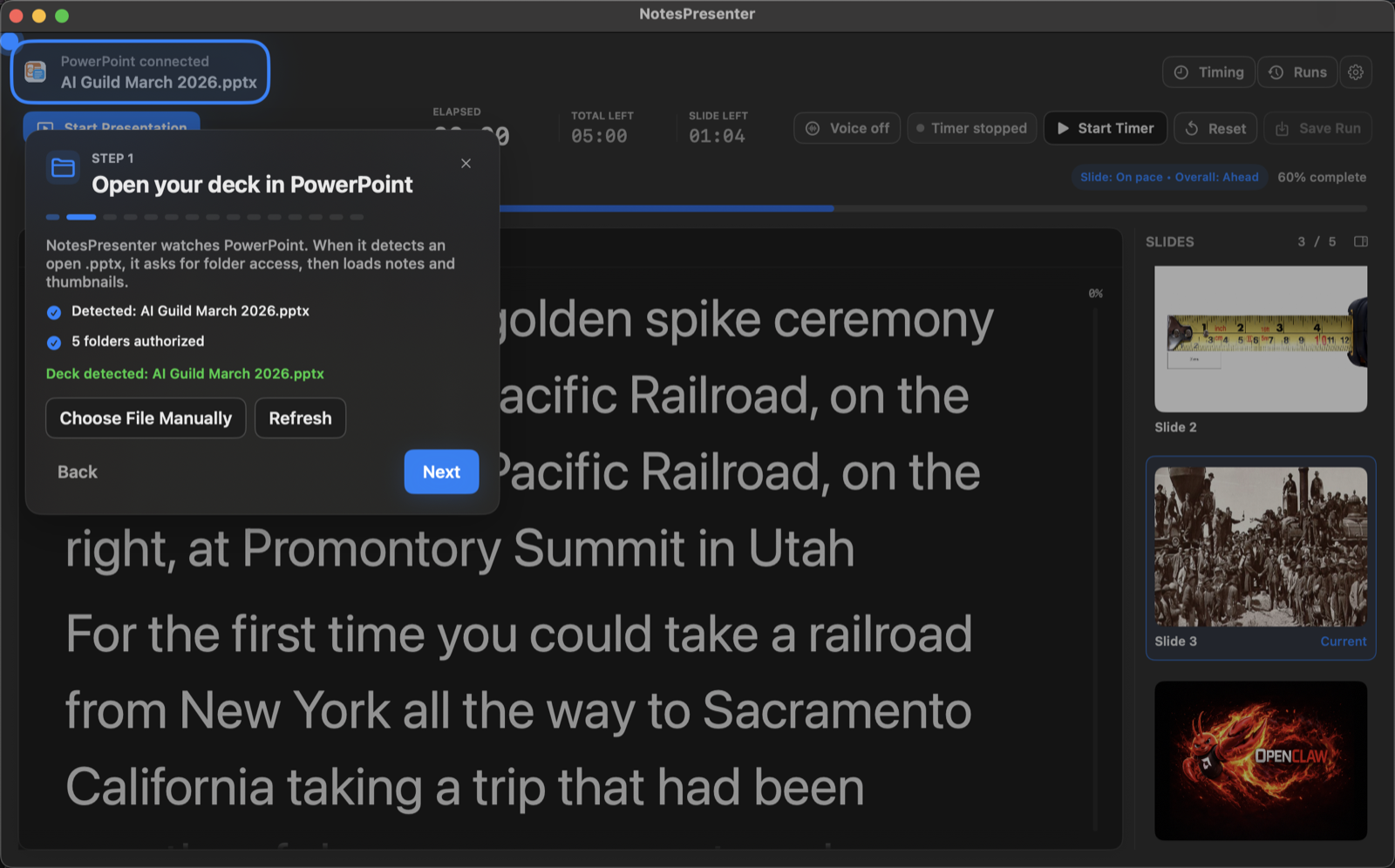
FAQ
Common questions about PowerPoint Presenter View without a second monitor.
Can I present PowerPoint on one screen only on Mac?
Yes. NotesPresenter is designed for cases where one Mac screen has to show the deck and private notes.
Will attendees see my notes?
No, not when you share only the PowerPoint window in your meeting app.
Does NotesPresenter require a second display?
No. It is built for single-screen Mac workflows with PowerPoint and notes side by side.
Does this replace PowerPoint?
No. NotesPresenter works alongside PowerPoint and reads your PowerPoint notes locally.
Can I use this for remote presentations?
Yes. Use window sharing so viewers see PowerPoint while NotesPresenter stays private.
Can I rehearse timing too?
Yes. NotesPresenter includes timing plans and rehearsal runs for PowerPoint presentations.
Present PowerPoint without a second monitor on Mac.
NotesPresenter keeps private speaker notes, slide context, and timing beside PowerPoint when one screen has to do the work.