
Second-display workaround
What to do when PowerPoint Presenter View needs a second display.
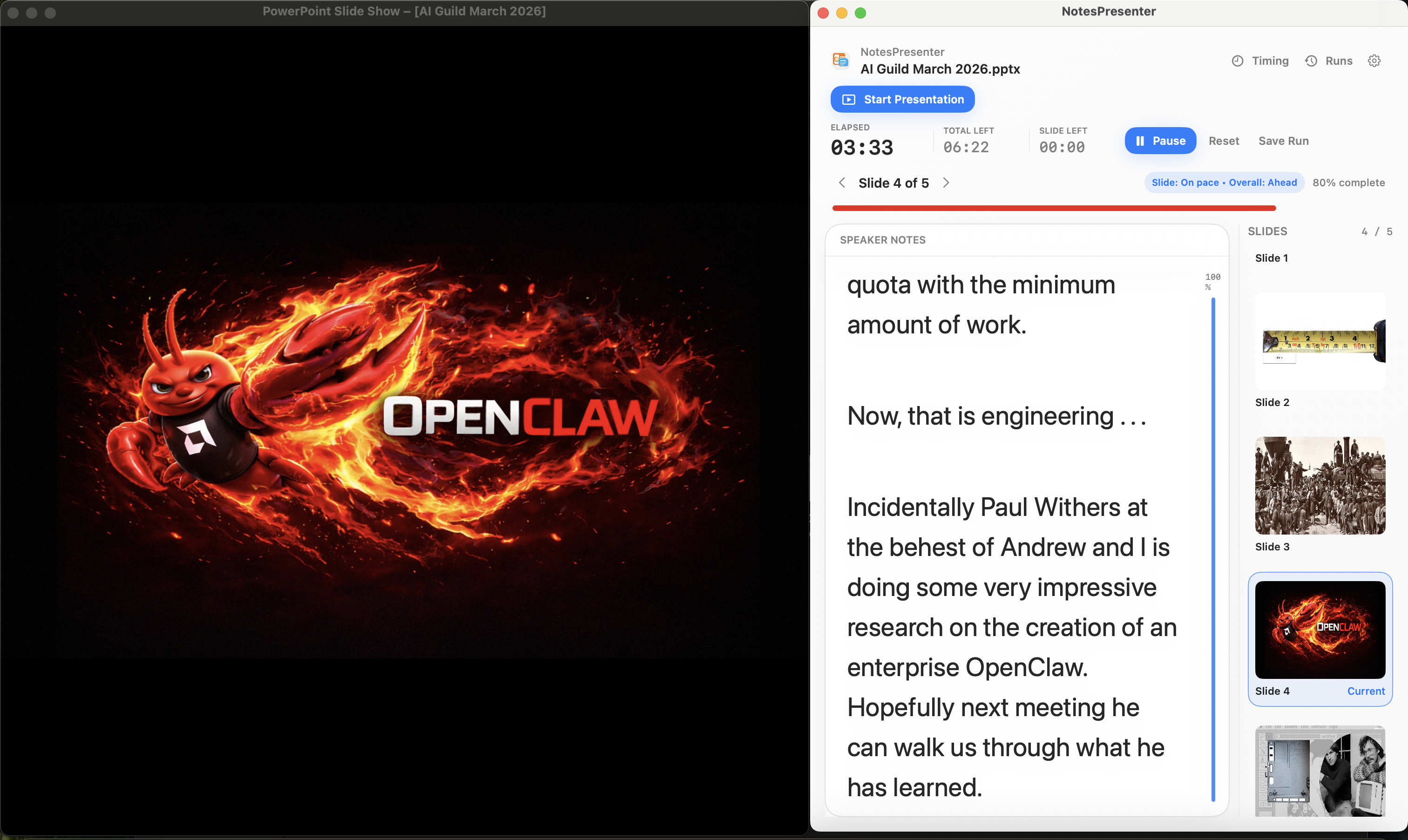
If you cannot use a second monitor, keep PowerPoint as the presentation window and use NotesPresenter locally for speaker notes, slide context, and timing.
Short answer
When PowerPoint Presenter View needs a second display, use a one-screen setup instead: share or show PowerPoint, and keep NotesPresenter beside it for private notes, slide context, and timing.
Setup steps
Use a one-screen fallback instead of fighting the display setup.
Step 1
Do not switch to full-desktop sharing
Sharing the whole desktop can expose notes. Keep the shared or visible window limited to PowerPoint.
Step 2
Open the same deck in NotesPresenter
Use NotesPresenter to read slide notes locally while PowerPoint remains the presentation window.
Step 3
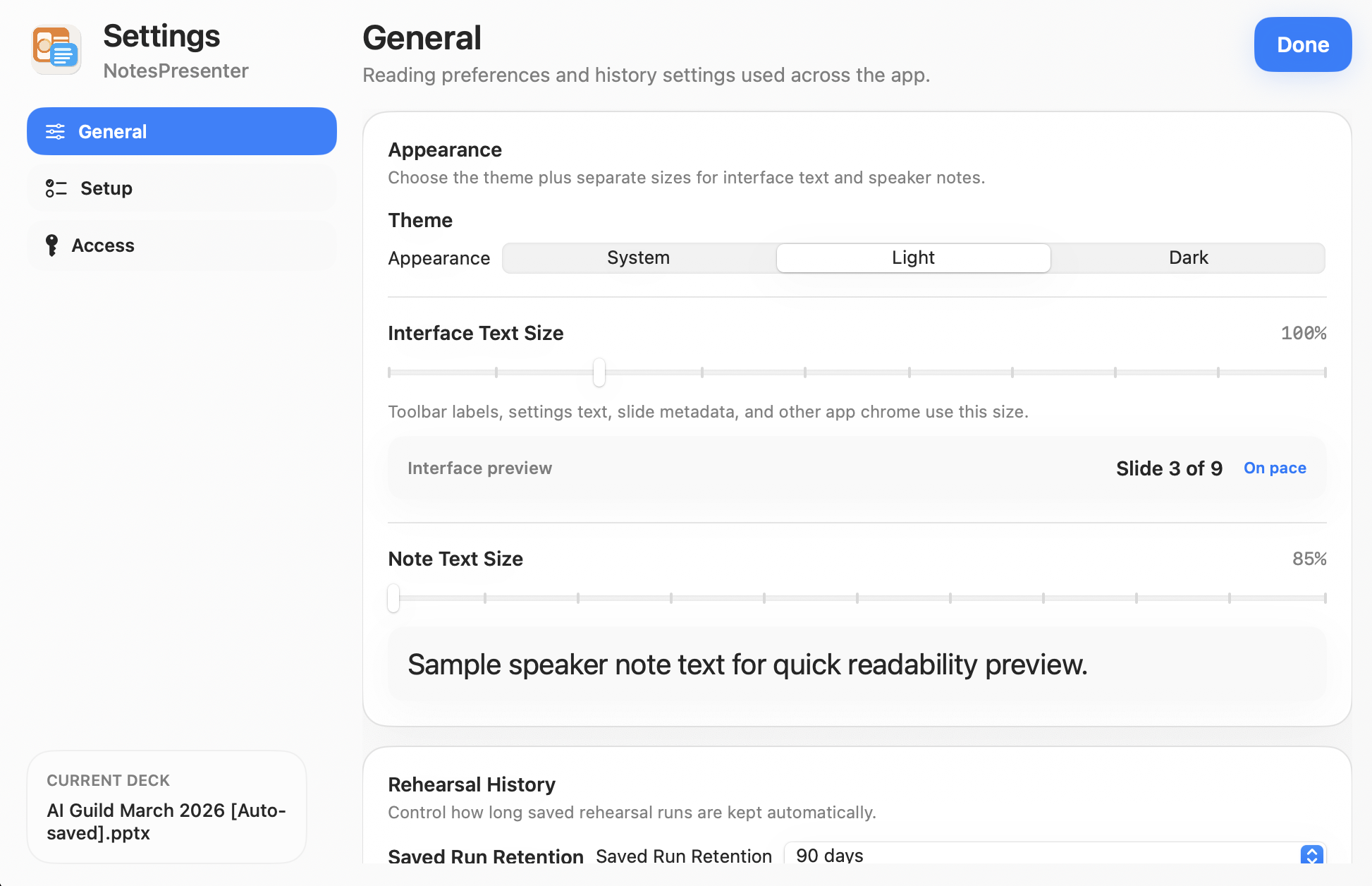
Resize notes for the talk
Set note size and appearance before the presentation so you can read notes without changing focus.
Step 4
Use timing as your presenter view context
Track current slide, thumbnails, elapsed time, and pace signals in NotesPresenter.
Before presenting
Confirm what the audience can see.
Audience sees PowerPoint, not your notes window.
NotesPresenter is placed where you can read it comfortably.
Timing and slide tracking are ready before the live presentation starts.
FAQ
Common questions about Presenter View without a second monitor.
Is this the same as PowerPoint Presenter View?
No. NotesPresenter works alongside PowerPoint and is focused on cases where a second display is not available.
Can this keep notes private in screen sharing?
Yes, when the meeting app shares only the PowerPoint window instead of the full desktop.
Does NotesPresenter need internet access for this?
No. NotesPresenter reads the PowerPoint file locally and does not upload the presentation.
Use PowerPoint notes without a second display.
NotesPresenter is built for Mac presenters who only have one screen and still need notes, slide context, and timing.