
Recording workflow
Use PowerPoint notes while recording video on Mac.
NotesPresenter helps you record a PowerPoint talk with speaker notes, current-slide context, and timing visible locally on one Mac screen.
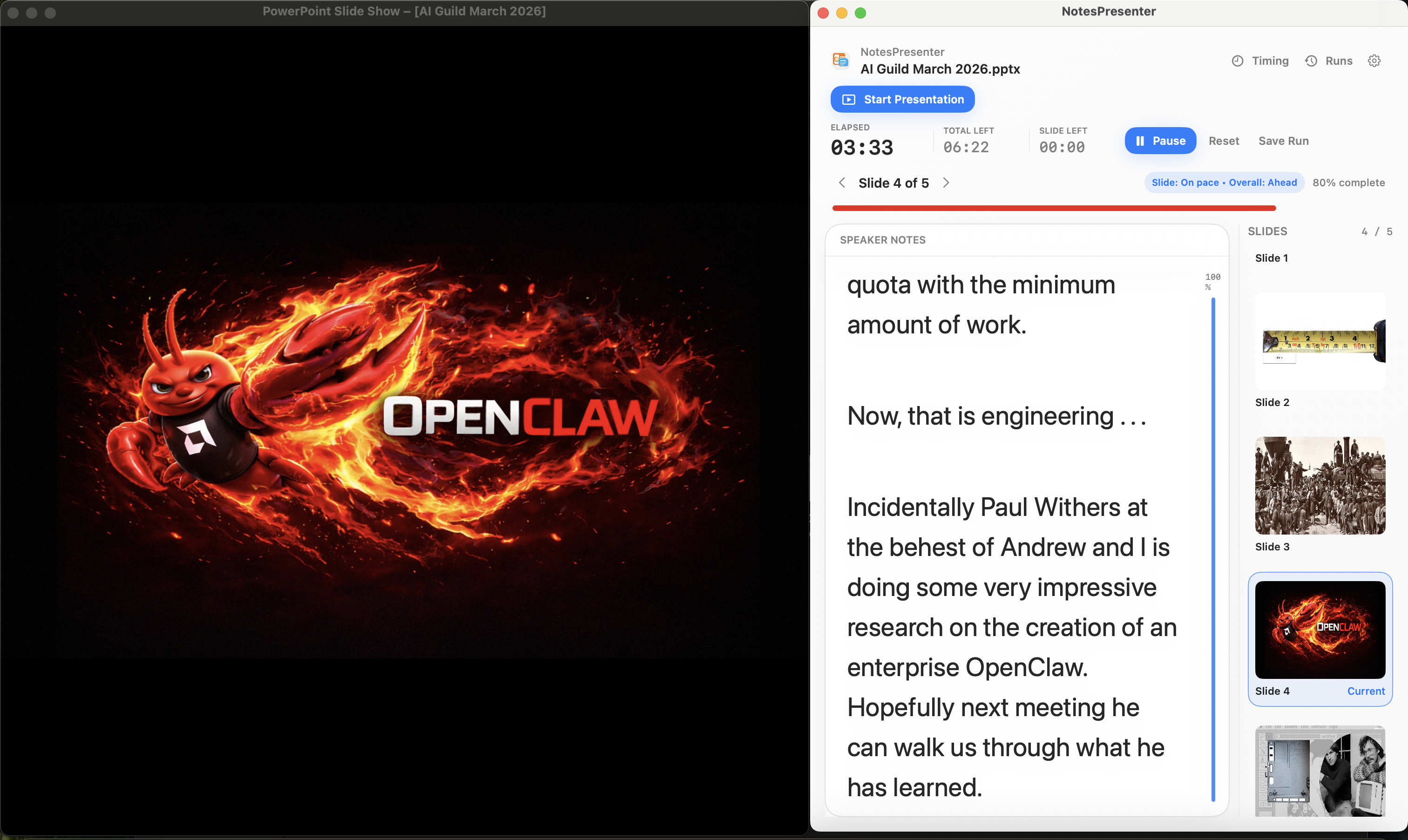
- Keep talking points visible while recording
- Use timing to keep the recorded presentation concise
- Record the slide window while notes stay outside the capture
Short answer
Can I use PowerPoint notes while recording video?
Yes. NotesPresenter keeps notes, slide context, and timing visible locally while you record the PowerPoint window.
Recorded presentations
For presenters recording lessons, demos, webinars, or talks from one Mac.
Keep the script local
Read slide-specific notes while recording without putting those notes inside the captured slide window.
Stay concise
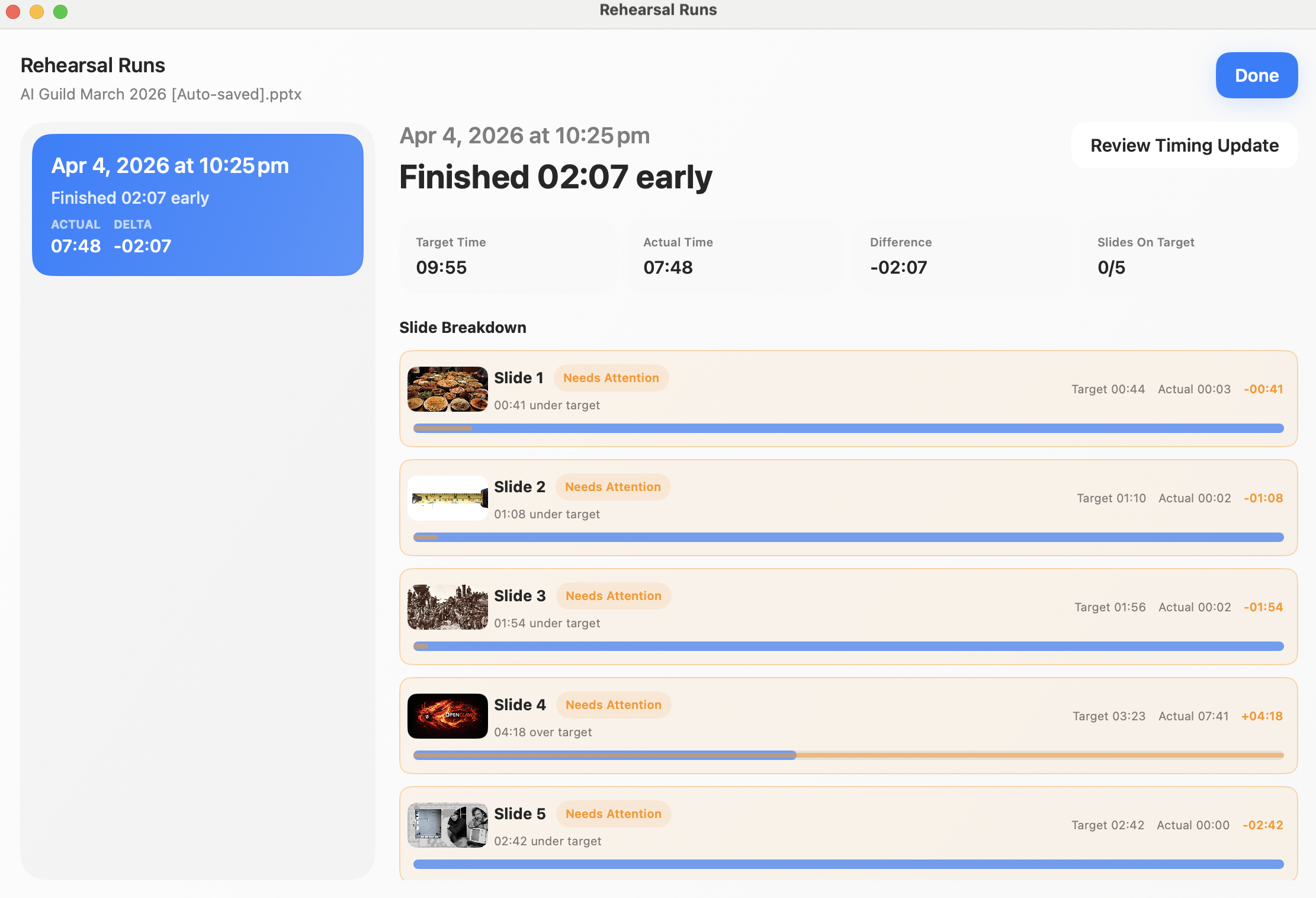
Use target timing and pace signals to keep recorded videos from running longer than planned.
Record the deck
Capture or share the PowerPoint window while NotesPresenter remains a private presenter aid.
Setup steps
Record with PowerPoint notes in three steps.
- 1
Prepare slide notes
Put talking points, examples, and transition cues in the PowerPoint notes for each slide.
- 2
Open NotesPresenter beside PowerPoint
Use NotesPresenter for notes, current-slide context, and timing while PowerPoint remains the recorded window.
- 3
Record the PowerPoint window
Configure your recording tool to capture PowerPoint rather than the full desktop if notes should stay out of the video.
Presentation workflow
Share the deck. Keep the notes.
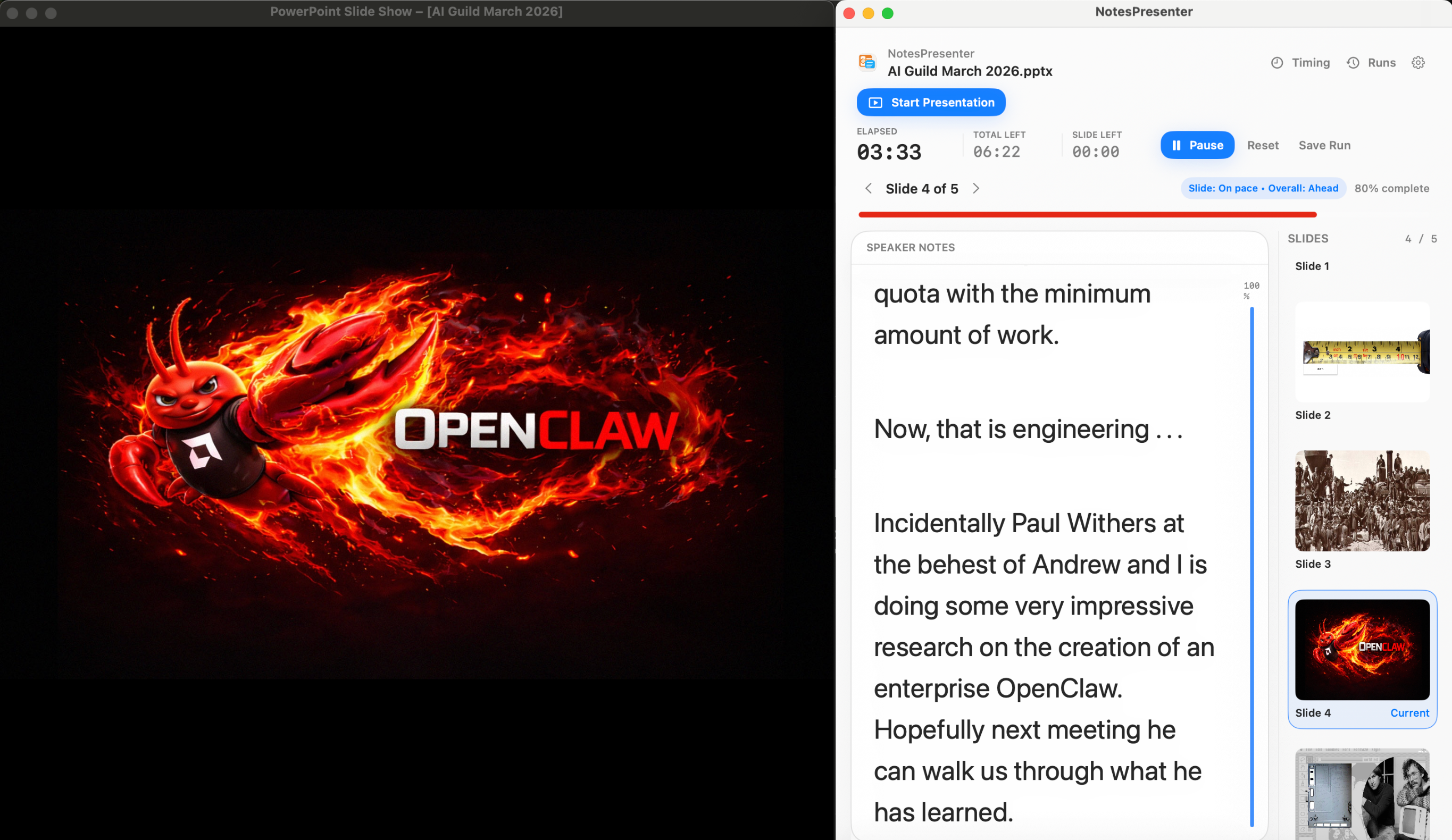
The safest one-screen setup is simple: prepare notes locally, share only PowerPoint, and keep NotesPresenter visible to you.
Default sharing rule
Choose the PowerPoint window in Zoom, Teams, or Meet. Do not share the full desktop.
Step 01
Open the deck
Load your PowerPoint file in NotesPresenter so your slide notes and timing plan are ready beside the deck.
You see
The deck notes, slide thumbnails, and timing plan before the presentation starts.
Audience sees
Nothing yet. This is your private setup step.
Result
Your speaker notes are ready before Zoom, Teams, or Meet starts sharing.
Onboarding flow
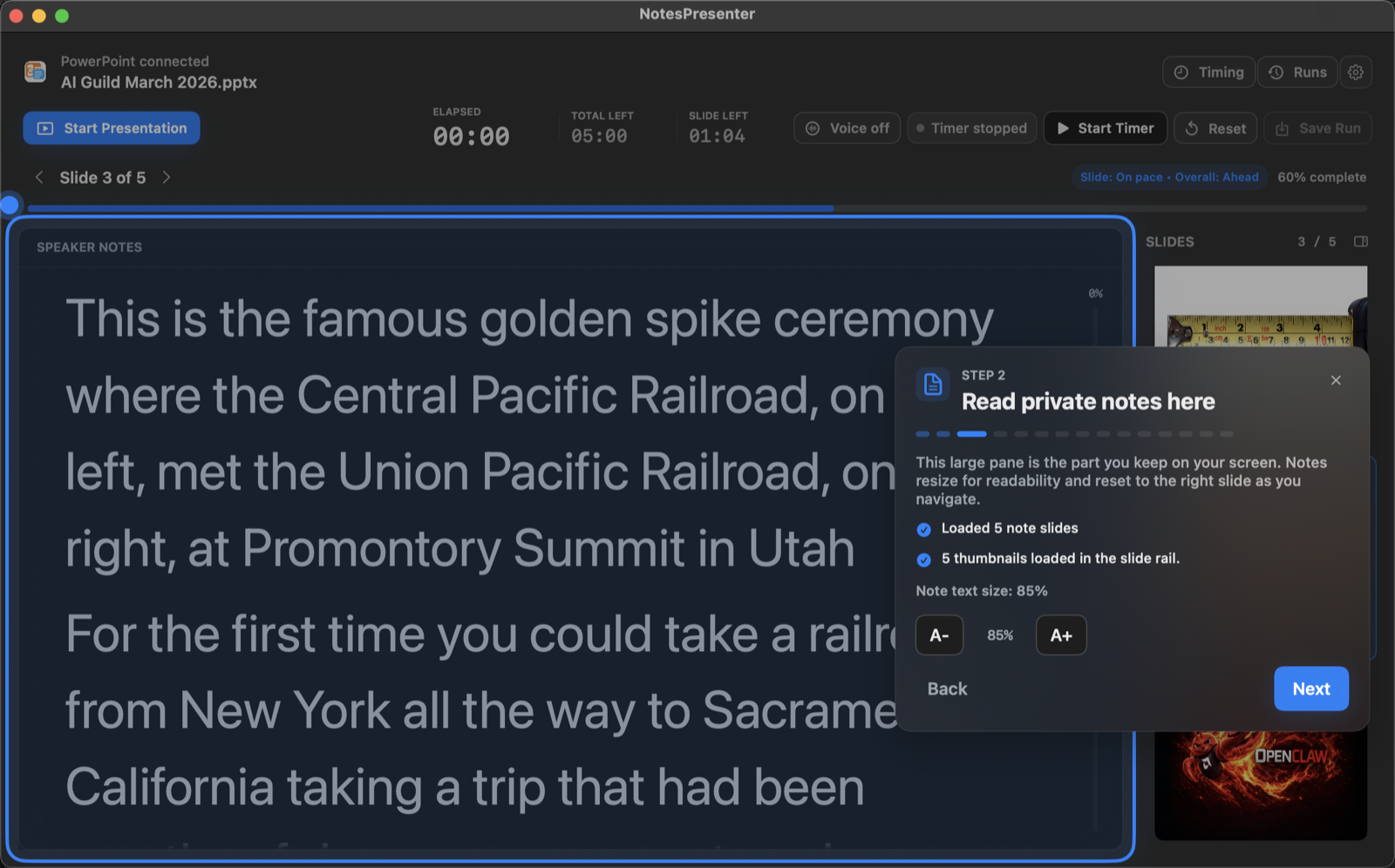
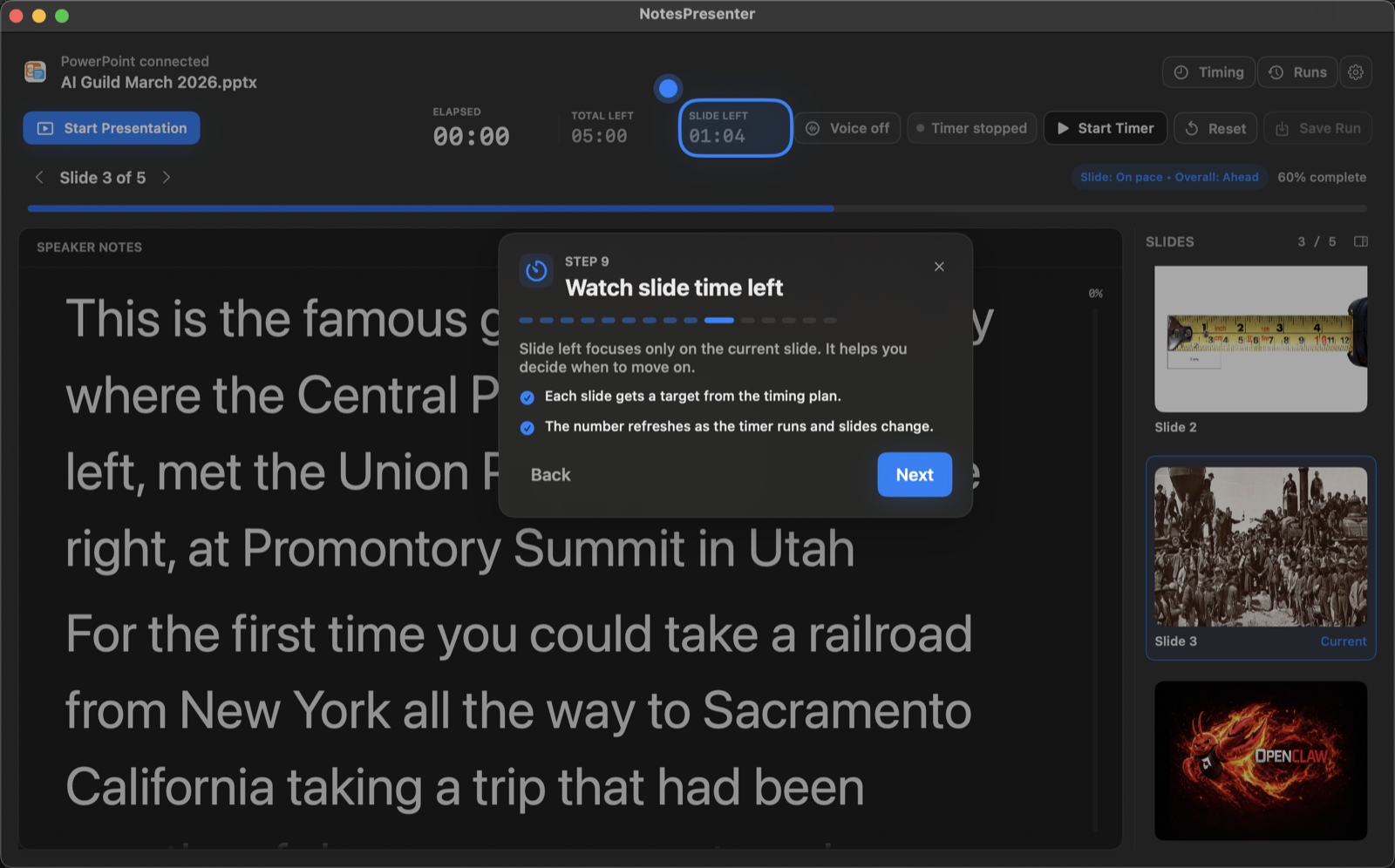
Learn the workflow before your first talk.
The onboarding walkthrough covers deck connection, private notes, presentation start, and timing so the one-screen setup is clear before you go live.
View onboarding flow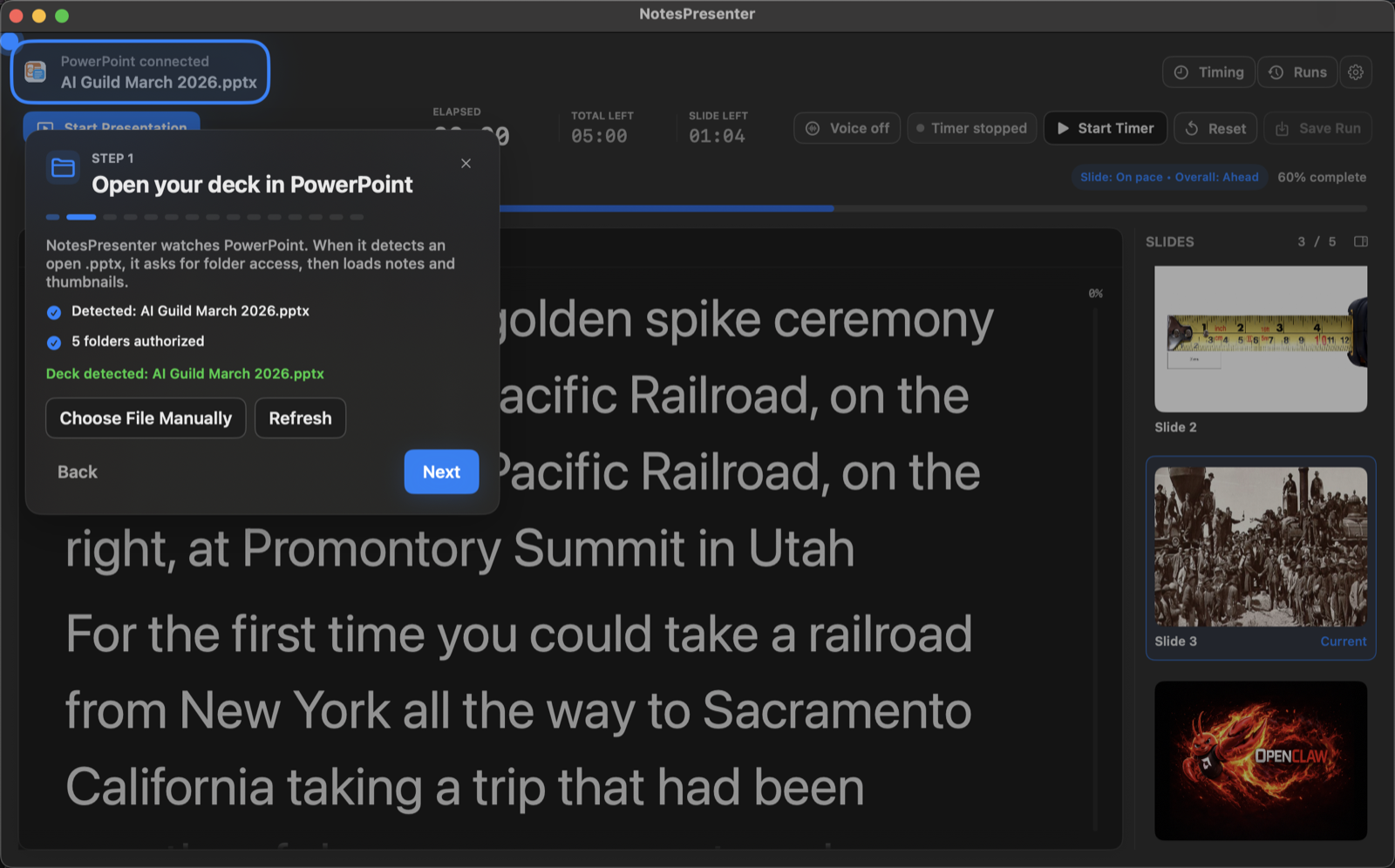
FAQ
Common questions about PowerPoint notes while recording video.
Will notes appear in the recording?
Not if your recording tool captures only the PowerPoint window. NotesPresenter stays outside that window.
Can I rehearse before recording?
Yes. NotesPresenter includes timing plans and rehearsal runs so you can tune pacing before recording.
Can I record only PowerPoint and keep notes private?
Yes, when your recording tool captures only the PowerPoint window. NotesPresenter remains outside that capture.
Is this useful for course videos?
Yes. It is useful for recorded lessons, webinars, product demos, and narrated presentations built in PowerPoint.
Can I make notes easier to read while recording?
Yes. NotesPresenter includes note readability settings and a separate notes view beside PowerPoint.
Does NotesPresenter record the video?
No. NotesPresenter is the private notes and timing companion; use your preferred recording tool to capture PowerPoint.
Record PowerPoint with private notes on Mac.
NotesPresenter keeps notes, slide context, and timing visible locally while you record the PowerPoint presentation.