
Product demo workflow
Use PowerPoint notes for product demos on one Mac screen.
NotesPresenter helps founders, product marketers, and sales teams keep demo prompts, slide context, and timing visible while sharing the deck.
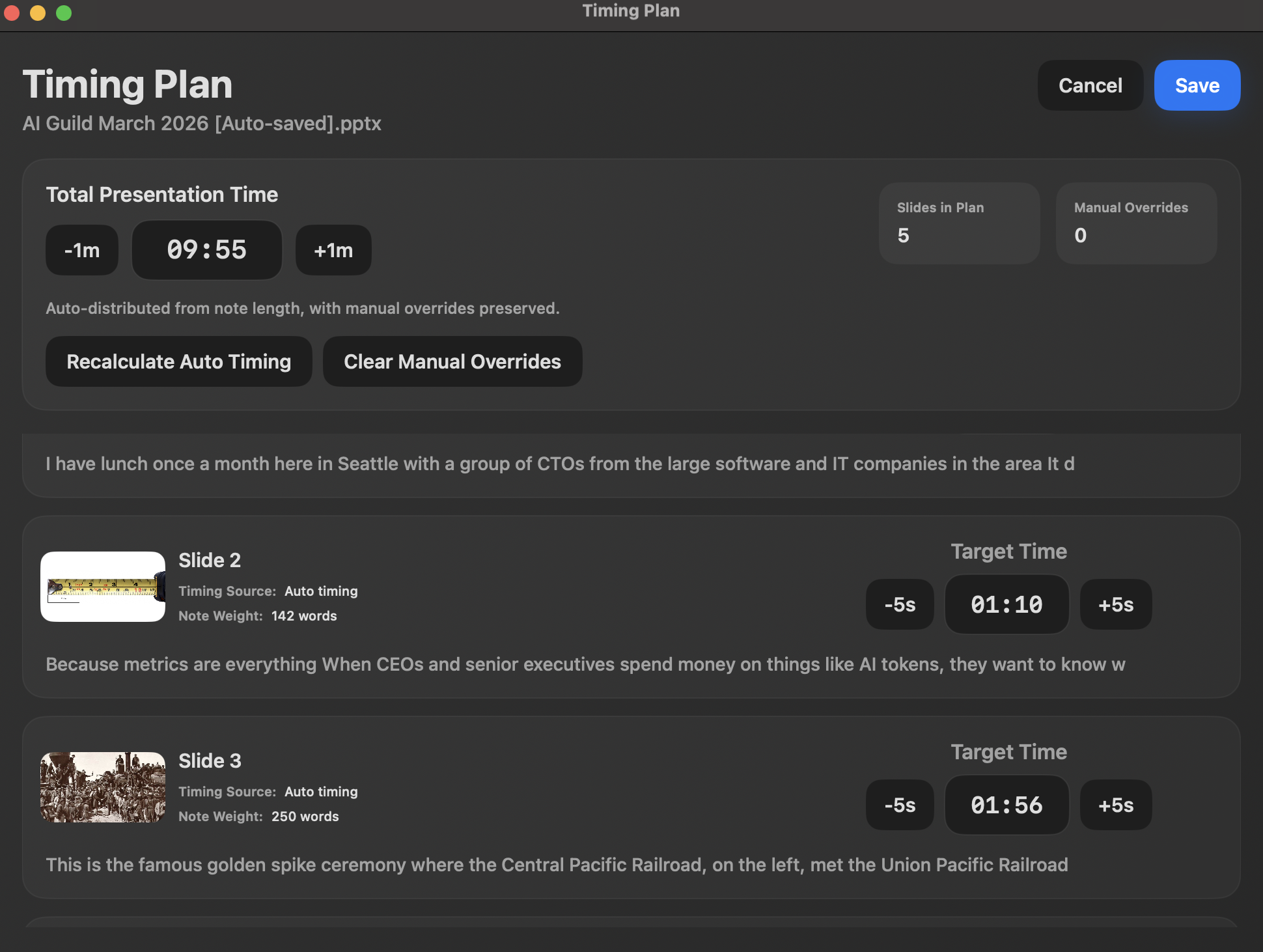
- Keep demo cues and transitions beside the deck
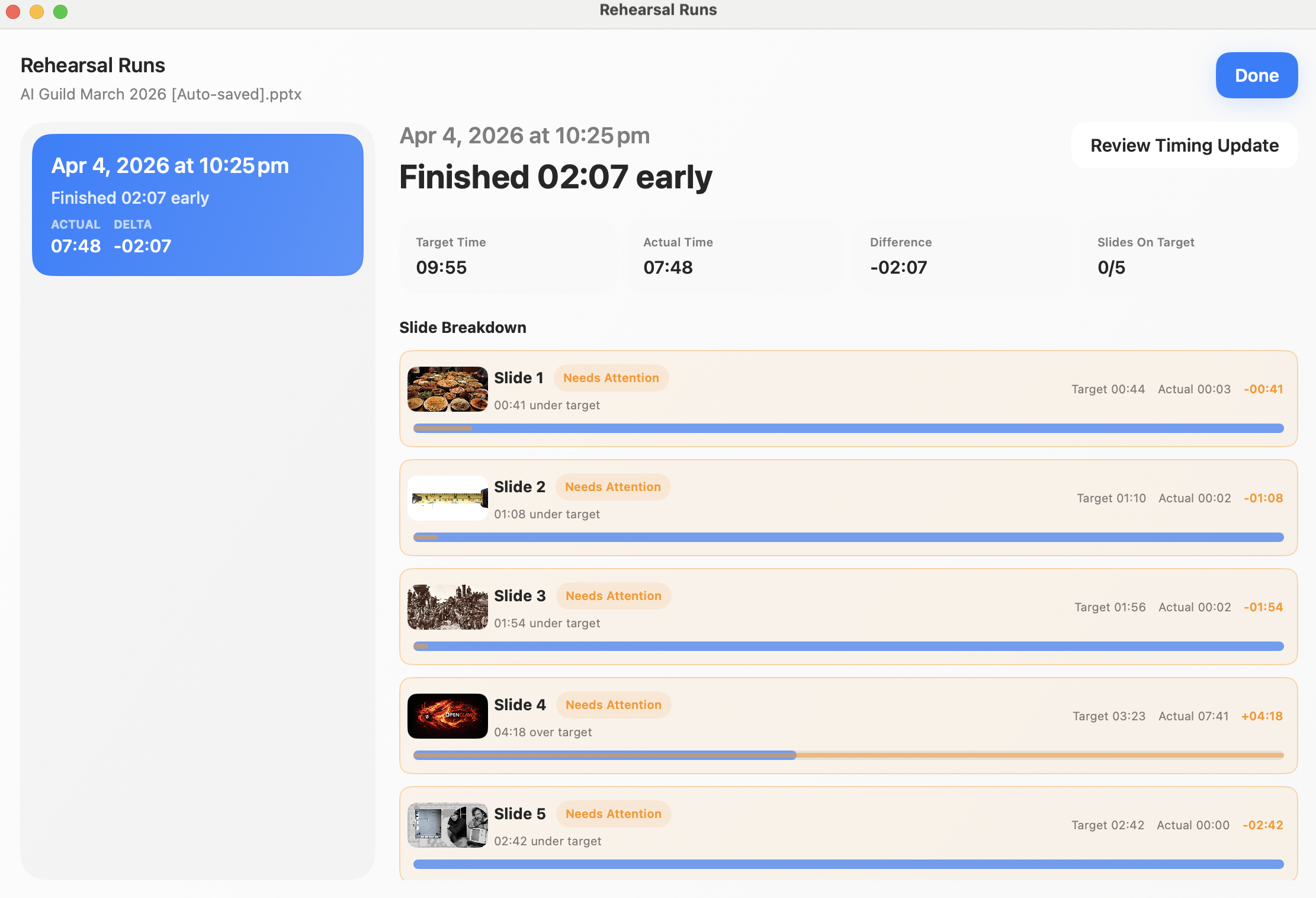
- Rehearse the pitch against a target time
- Share PowerPoint without showing private prompts
Short answer
Can I use PowerPoint notes during a product demo?
Yes. NotesPresenter keeps demo prompts, slide context, and timing visible beside PowerPoint on one Mac screen.
Demo delivery
For demos where the deck, talking points, and timing all need to stay in view.
Keep the story on track
Use slide notes for positioning, feature callouts, customer proof, and handoff cues.
Rehearse the timing
Check whether the deck fits a five-minute pitch, fifteen-minute sales demo, or scheduled product walkthrough.
Avoid showing prompts
Share the PowerPoint window while keeping NotesPresenter private on your Mac screen.
Setup steps
Prepare a product demo in three steps.
- 1
Write slide-level demo prompts
Add feature cues, proof points, objections, and transition lines to the PowerPoint notes.
- 2
Set the target time
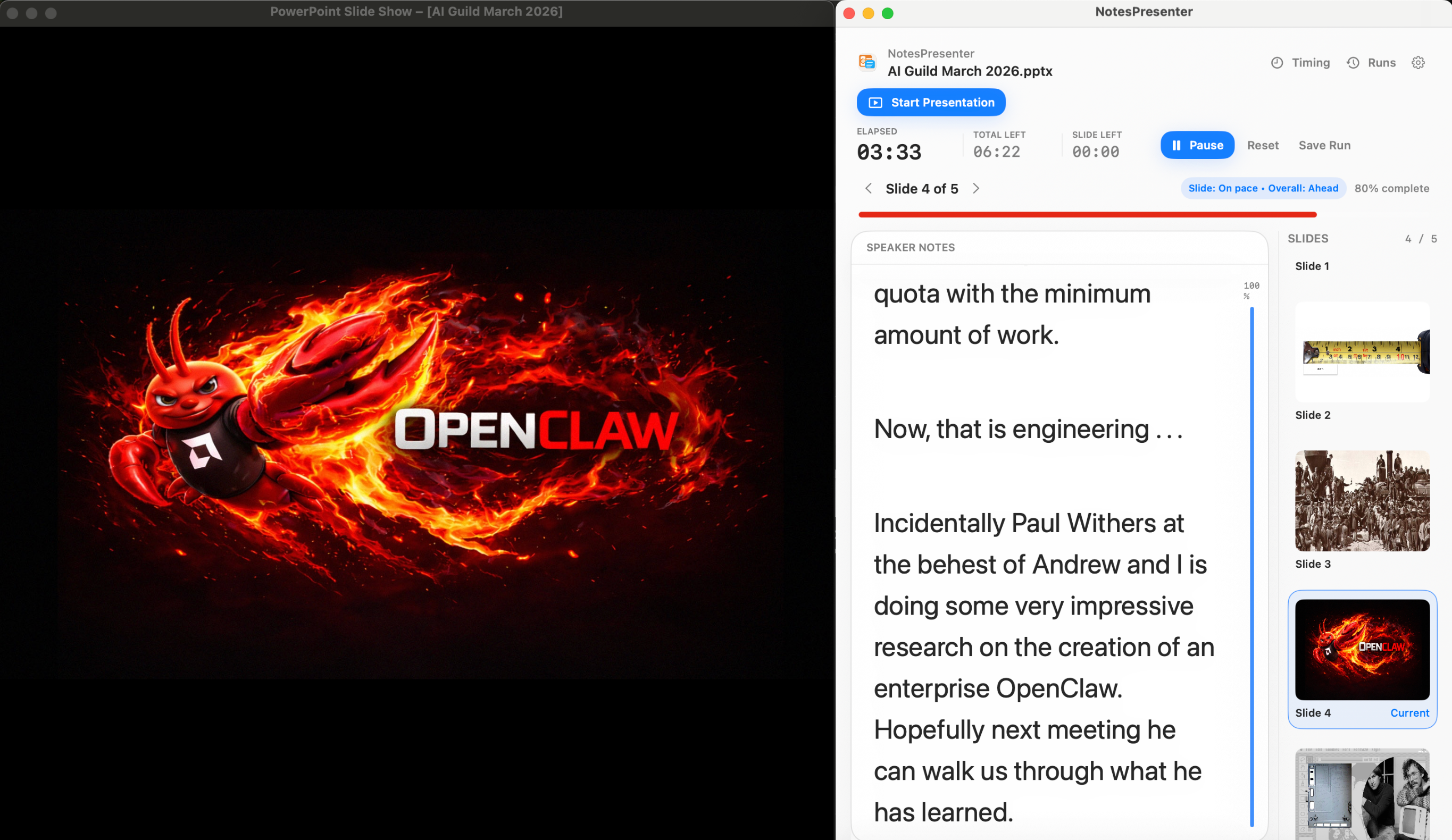
Plan the overall demo length and adjust slide timing for setup, product walkthrough, and closing.
- 3
Present while sharing PowerPoint
Share the PowerPoint window and use NotesPresenter privately for prompts, slide context, and timing.
Presentation workflow
Share the deck. Keep the notes.
The safest one-screen setup is simple: prepare notes locally, share only PowerPoint, and keep NotesPresenter visible to you.
Default sharing rule
Choose the PowerPoint window in Zoom, Teams, or Meet. Do not share the full desktop.
Step 01
Open the deck
Load your PowerPoint file in NotesPresenter so your slide notes and timing plan are ready beside the deck.
You see
The deck notes, slide thumbnails, and timing plan before the presentation starts.
Audience sees
Nothing yet. This is your private setup step.
Result
Your speaker notes are ready before Zoom, Teams, or Meet starts sharing.
Onboarding flow
Learn the workflow before your first talk.
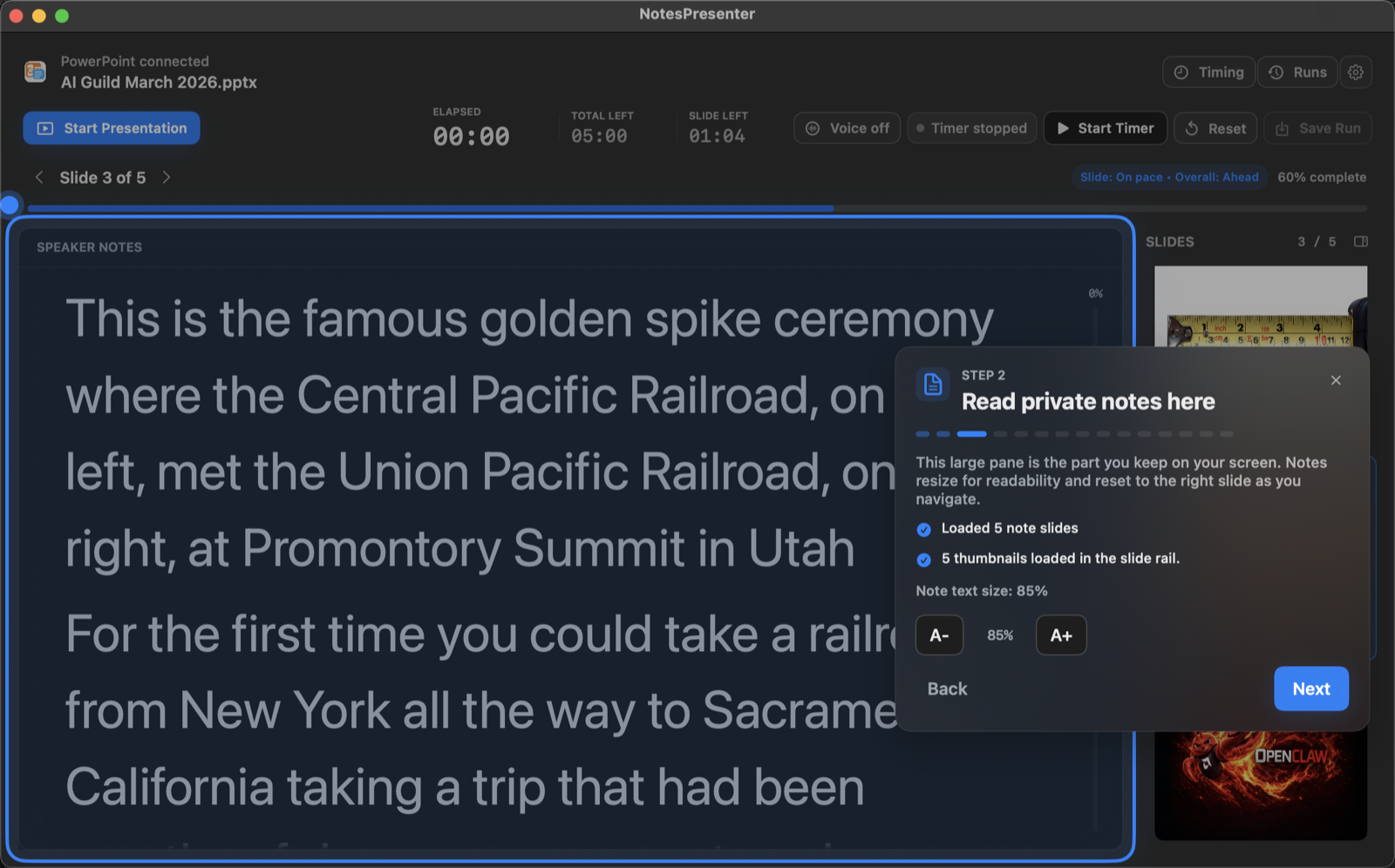
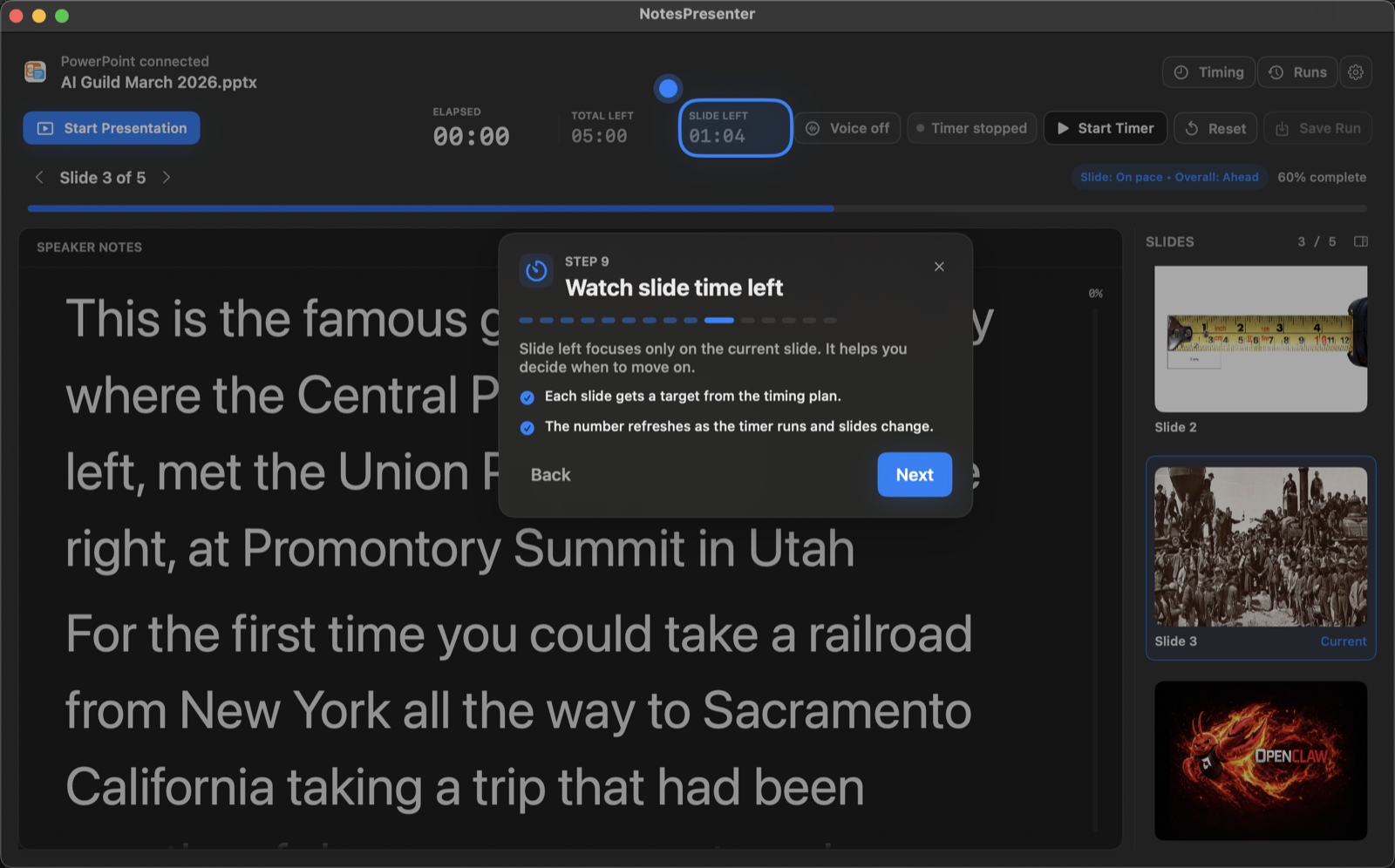
The onboarding walkthrough covers deck connection, private notes, presentation start, and timing so the one-screen setup is clear before you go live.
View onboarding flow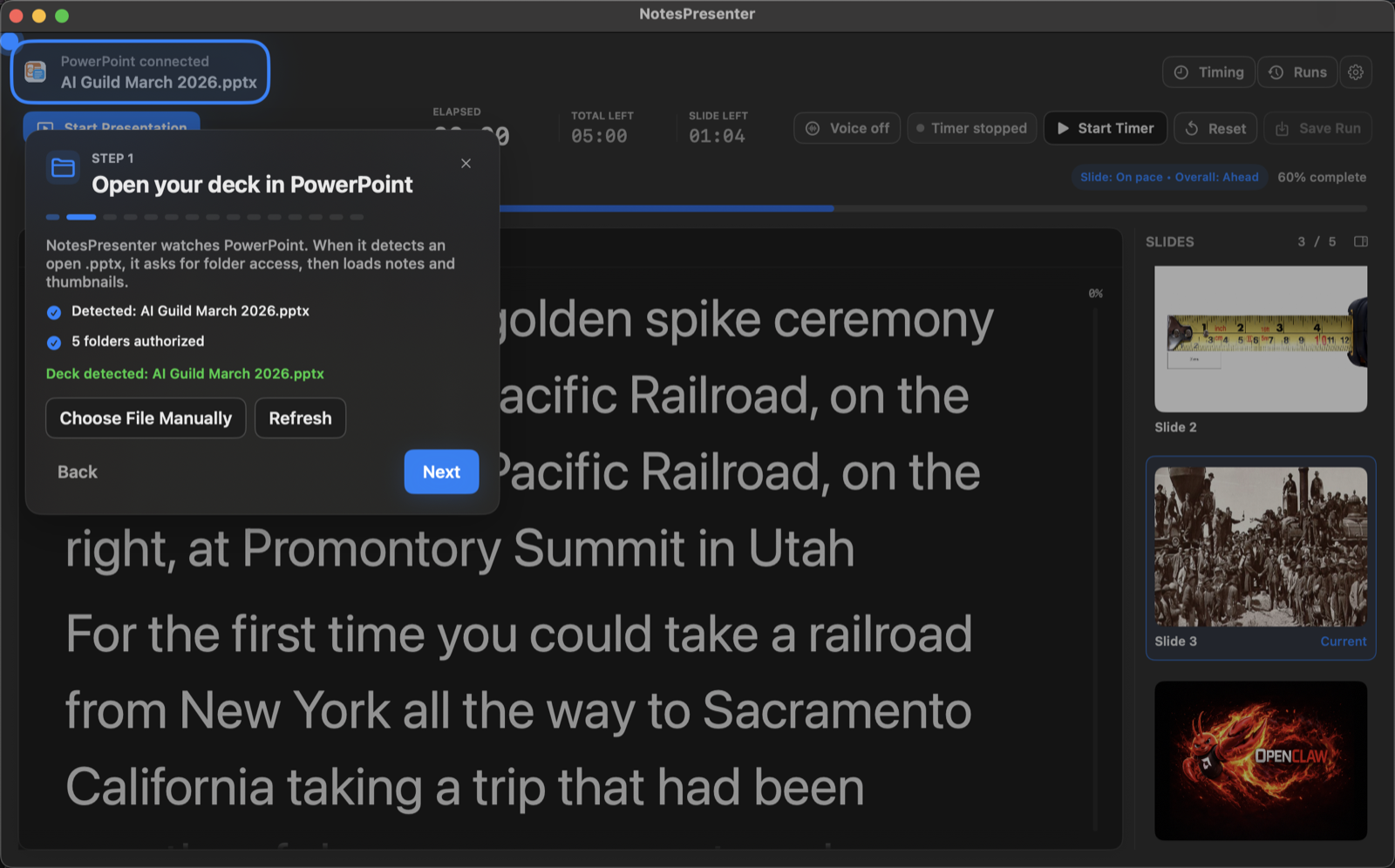
FAQ
Common questions about PowerPoint notes for product demos.
Can I rehearse a short pitch?
Yes. Set a target time and review rehearsal runs to see whether the demo fits the slot.
Will prospects see my prompts?
No, if you share only the PowerPoint window. NotesPresenter stays private on your Mac.
Can I use NotesPresenter for startup pitches?
Yes. It is useful for timed product demos, pitch decks, sales calls, and product walkthroughs built in PowerPoint.
Can I keep demo prompts private?
Yes. Share only the PowerPoint window so prospects or investors see the deck while NotesPresenter remains local.
Can I track timing by slide?
Yes. NotesPresenter supports timing plans and rehearsal runs so you can tune pacing before the live demo.
Does the product deck upload anywhere?
No. NotesPresenter reads the PowerPoint file locally and does not require cloud upload.
Run product demos with private PowerPoint notes on Mac.
NotesPresenter keeps demo prompts, slide context, and timing beside PowerPoint so the audience sees only the deck.