ExtraPPT comparison
ExtraPPT alternative for Mac: NotesPresenter vs ExtraPPT Speaker Notes.
If you are searching for ExtraPPT for Mac or an ExtraPPT Speaker Notes alternative, compare the workflow carefully. NotesPresenter is built for Mac presenters who want PowerPoint notes, thumbnails, current-slide context, and timing on one screen.

NotesPresenter
PowerPoint notes, slide context, and timing on one Mac screen.

ExtraPPT
ExtraPPT Speaker Notes
Use NotesPresenter when
- You want a Mac app built around single-screen PowerPoint delivery.
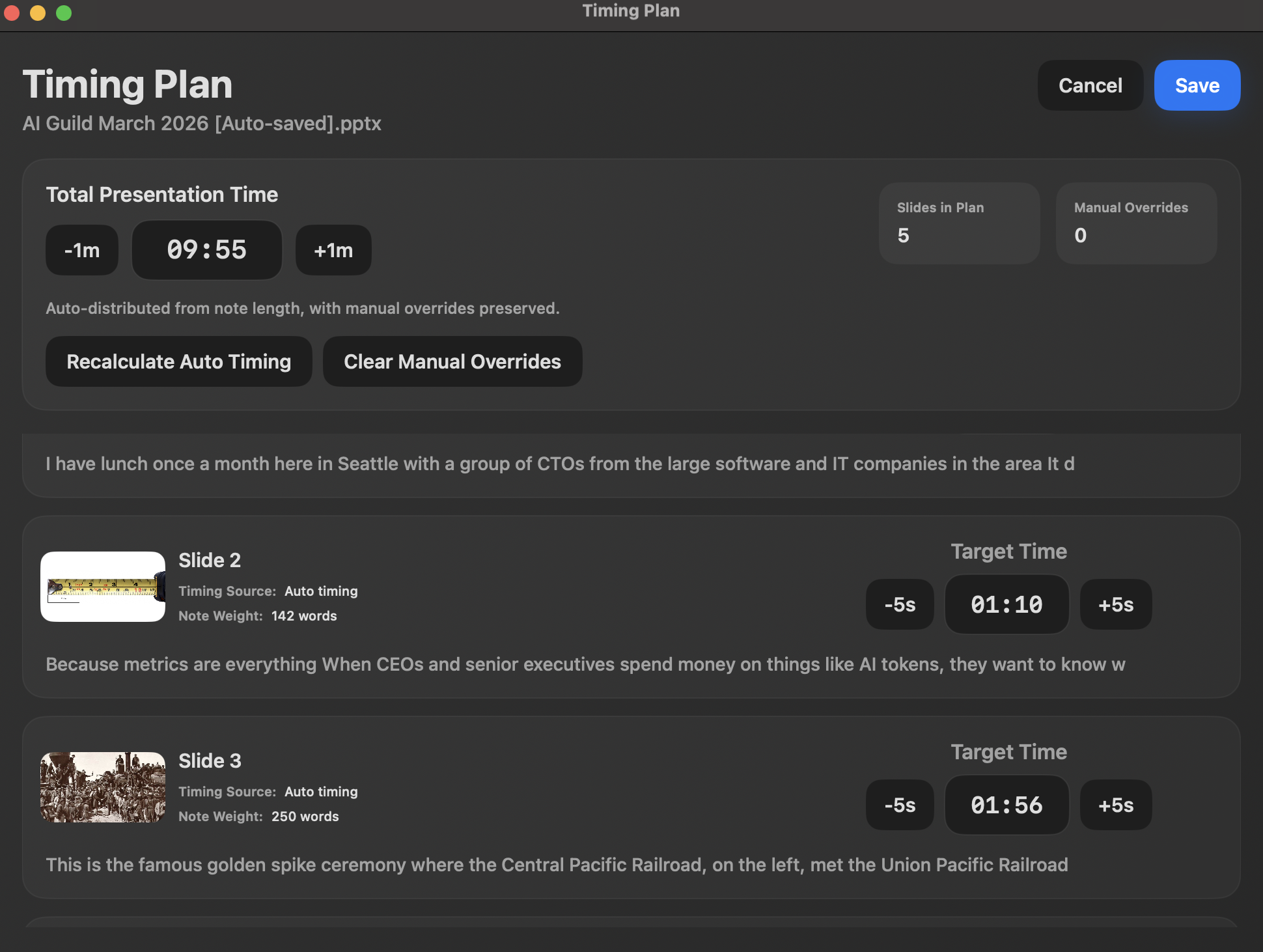
- You need per-slide timing plans, pace signals, and rehearsal review.
- You want a local app workflow with no account and no cloud upload.
Use ExtraPPT when
- You specifically want a floating notes window approach.
- You want active PowerPoint detection as described by ExtraPPT.
- You are already using the ExtraPPT workflow in OBS, Zoom, Meet, or Teams.
ExtraPPT for Mac
For Mac presenters looking for an ExtraPPT-style speaker notes workflow.
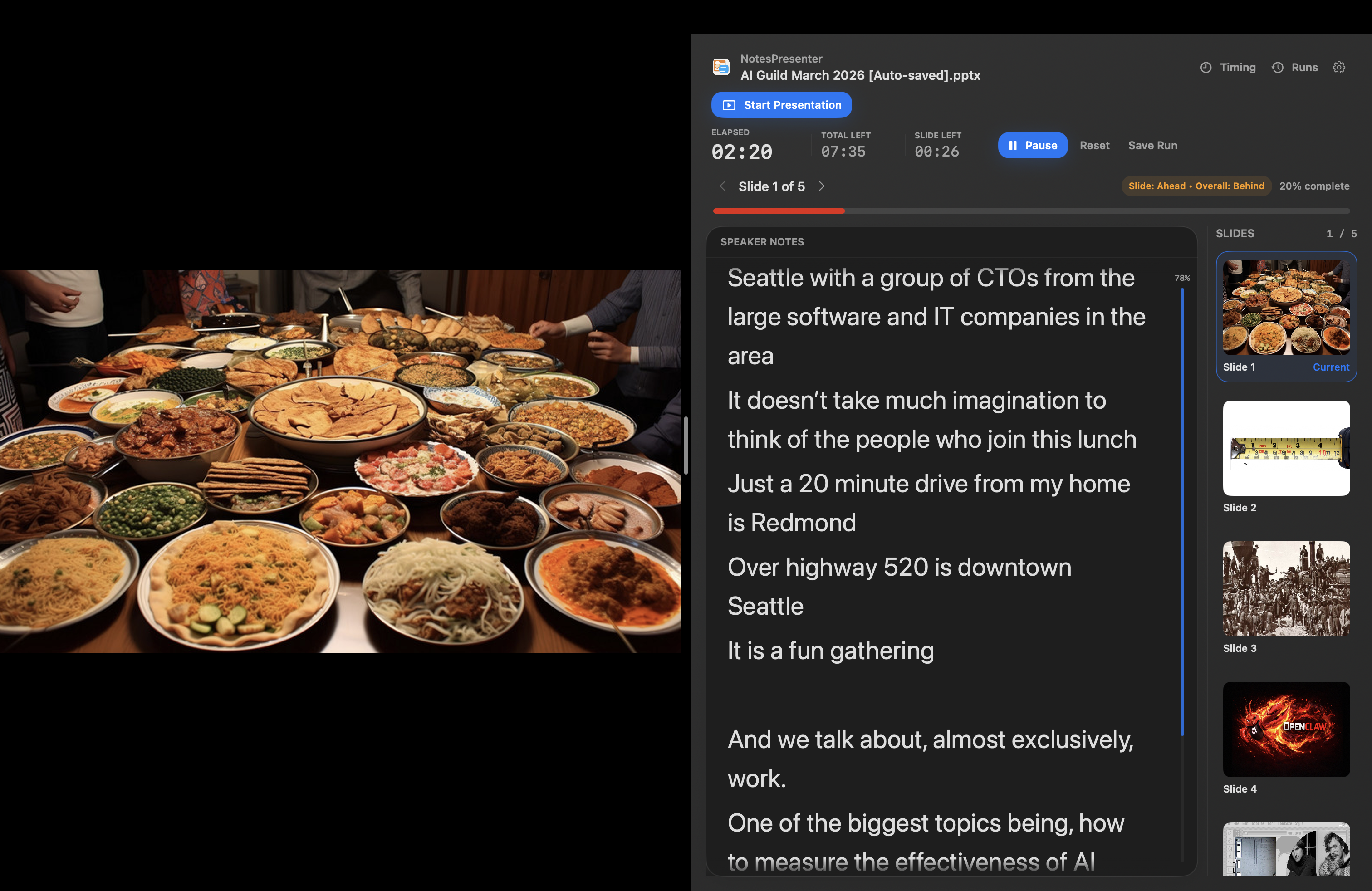
ExtraPPT publicly describes its app suite as PowerPoint tools for Windows and its Speaker Notes product as a floating notes window for PowerPoint presentations. NotesPresenter focuses on the Mac version of that need: keeping private PowerPoint notes, slide context, and pacing tools visible while the audience sees only the deck.
App screenshots
See the NotesPresenter Mac workflow.
Side-by-side
NotesPresenter vs ExtraPPT Speaker Notes.
Share the PowerPoint window while notes, context, and timing stay on your screen.
ExtraPPT documents speaker notes and slide previews in a floating window.
Built around opening a PowerPoint deck and sharing the PowerPoint window.
ExtraPPT detects the active PowerPoint presentation.
Shows PowerPoint notes, thumbnails, current slide context, and presenter controls.
ExtraPPT lists speaker notes, slide previews, and standard PowerPoint keyboard controls.
Plan per-slide timing, monitor pace, and review rehearsal runs.
The ExtraPPT page cited here does not list timing or rehearsal review tools.
One-time unlock, no account, no cloud upload, and PowerPoint files stay on your Mac.
ExtraPPT states no subscriptions, ads, hidden fees, or data collection.
Decision
Use NotesPresenter when timing and Mac delivery workflow matter as much as notes.
Both products target one-screen PowerPoint notes. The practical difference is workflow: NotesPresenter emphasizes Mac presentation delivery, current-slide context, and rehearsal timing.
FAQ
Common questions.
Is there an ExtraPPT for Mac?
ExtraPPT's public homepage describes its app suite as PowerPoint tools for Windows. NotesPresenter is built for Mac presenters who need private PowerPoint speaker notes on one screen.
What is the best ExtraPPT alternative for Mac?
For the ExtraPPT Speaker Notes use case, NotesPresenter is the Mac-focused alternative: it shows PowerPoint notes, slide thumbnails, current-slide context, and timing beside the deck.
Is NotesPresenter an ExtraPPT clone?
No. Both products address one-screen PowerPoint notes, but NotesPresenter is a separate Mac app focused on local deck reading, slide context, and timing.
When is ExtraPPT a better fit?
ExtraPPT may be a better fit if you specifically want its floating-window workflow and active PowerPoint detection as described on its product page.
Does NotesPresenter include timing tools?
Yes. NotesPresenter includes timing plans, pace signals, and rehearsal review for PowerPoint presenters on Mac.
Does NotesPresenter replace every ExtraPPT app?
No. NotesPresenter is only an alternative for the PowerPoint speaker-notes workflow. It is not a replacement for ExtraPPT Remote Control, Scheduler, Export, or digital-signage tools.
Try the one-screen PowerPoint notes workflow.
NotesPresenter keeps PowerPoint notes, current-slide context, and timing visible on your Mac while the audience sees the deck.