
Academic presentations
Present academic PowerPoint talks with notes and timing on one Mac screen.
NotesPresenter helps researchers, students, and faculty keep talk notes, slide context, and pacing visible during conference talks, seminars, and thesis presentations.
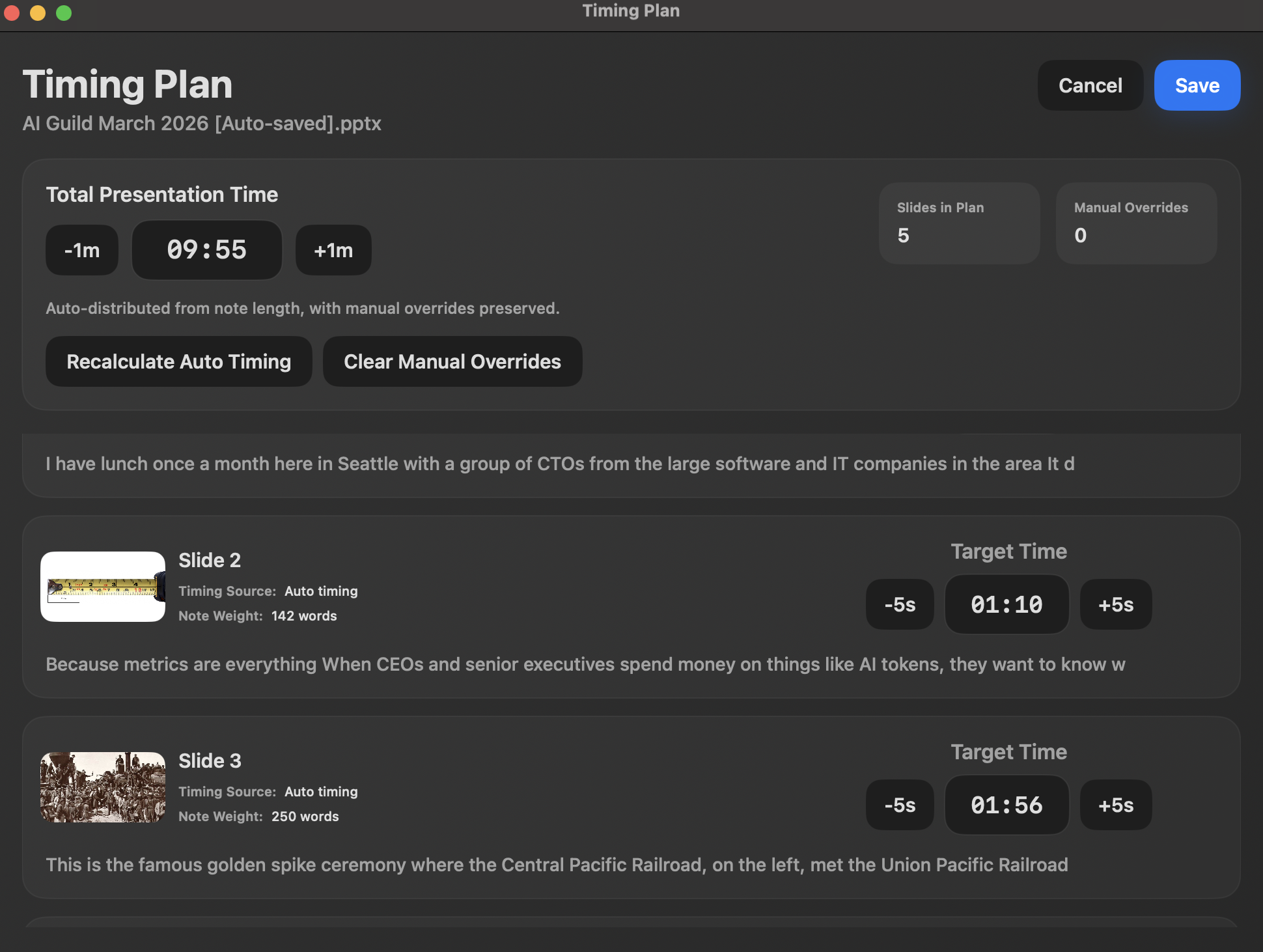
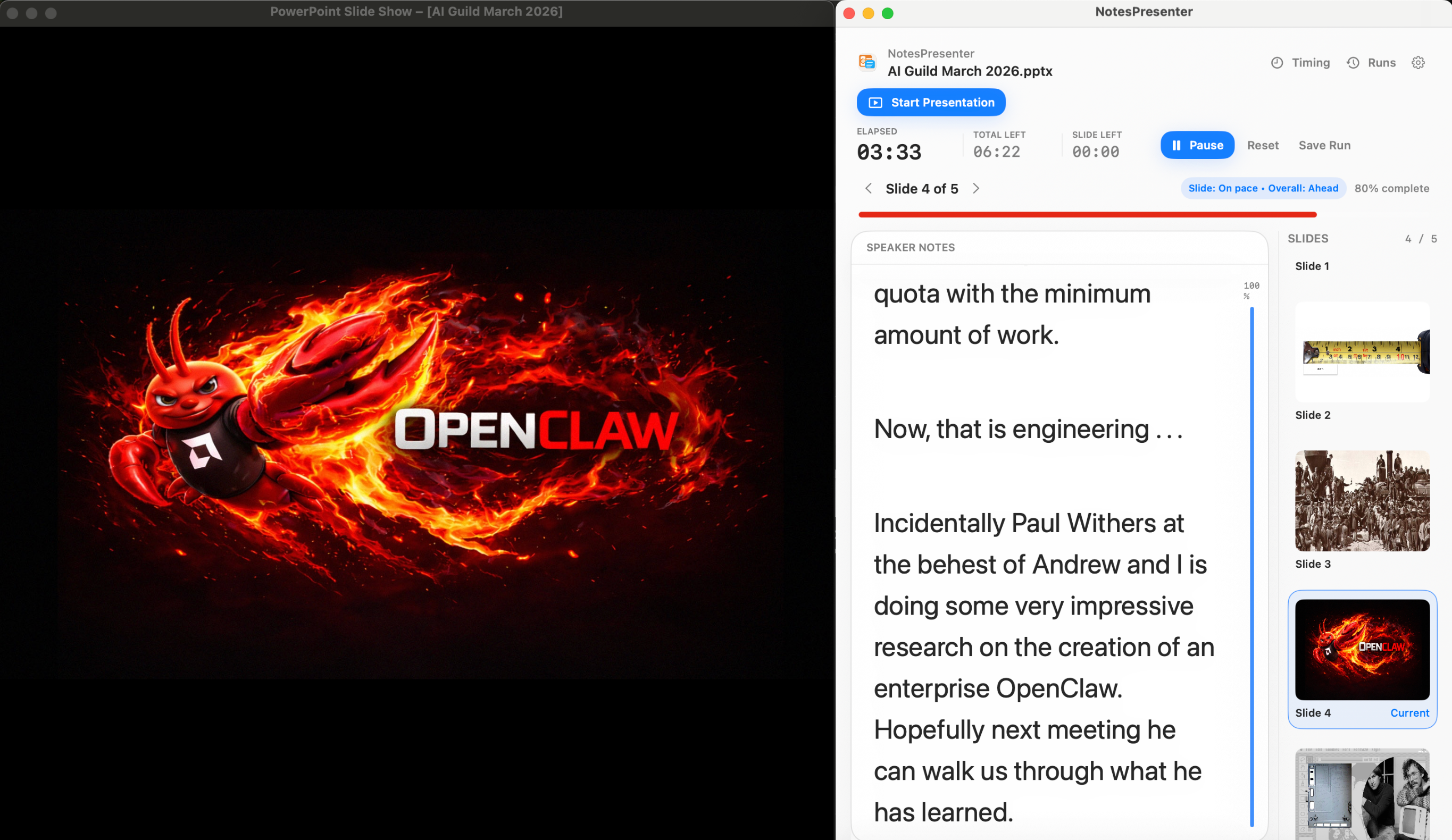
- Keep citations, transitions, and talking points beside the deck
- Rehearse against a fixed conference or seminar time limit
- Share PowerPoint while keeping detailed notes private
Short answer
Can I use this for a conference talk?
Yes. NotesPresenter keeps speaker notes, slide context, and timing visible when you present a PowerPoint talk from one Mac screen.
Research talk workflow
For talks where accuracy and timing matter more than presenter theatrics.
Keep precise notes
Use slide notes for terminology, citations, transitions, and the details you do not want to memorize.
Respect the time limit
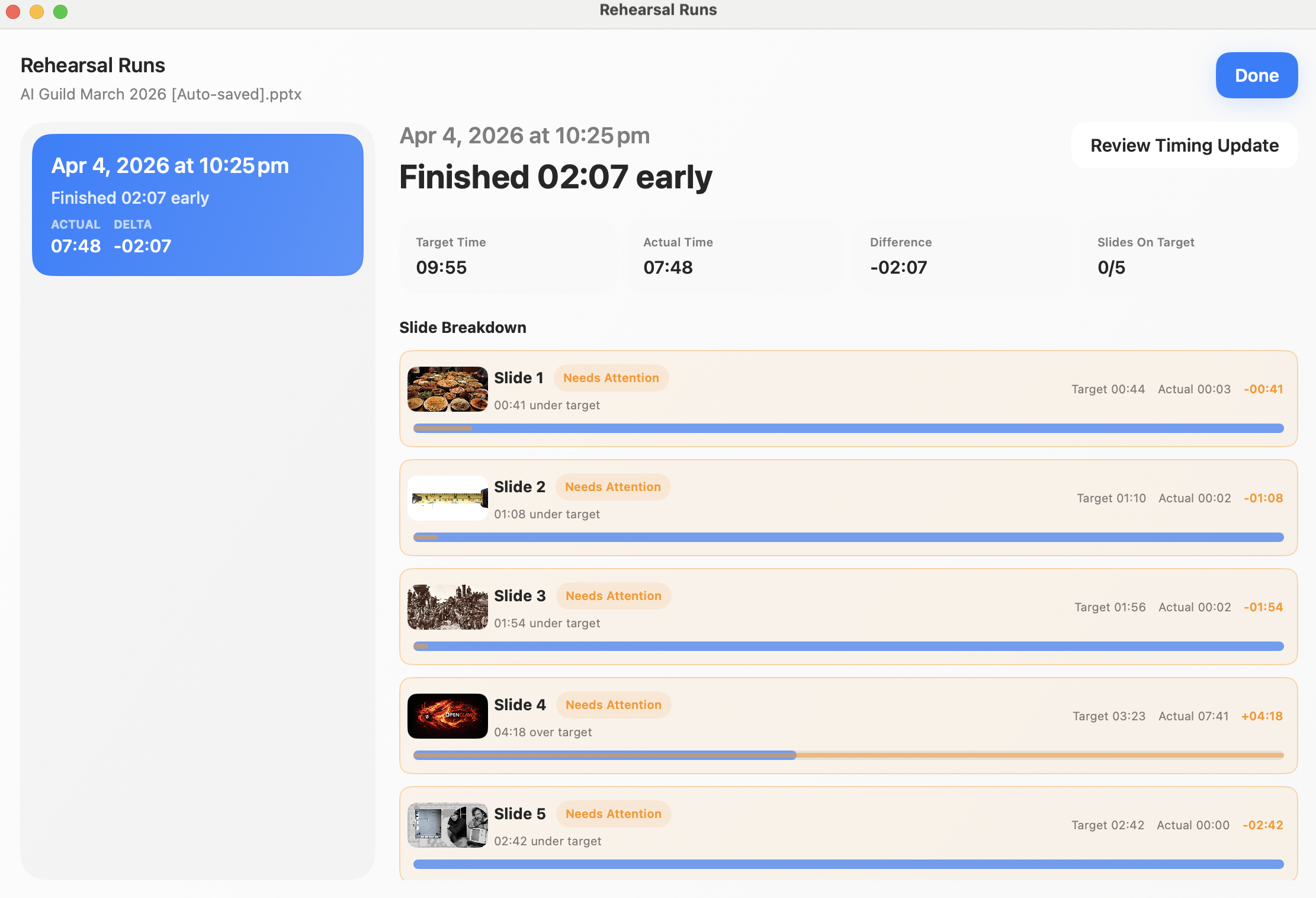
Plan time per slide and compare target versus actual timing before the live academic presentation.
Present from one screen
Use a single Mac screen when a classroom, seminar room, or conference setup does not give you a separate presenter display.
Setup steps
Prepare an academic presentation in three steps.
- 1
Write slide-specific notes
Put supporting detail, citations, transitions, and pronunciation reminders in the PowerPoint notes for each slide.
- 2
Set the talk length
Use a total target time and adjust slide targets for methods, results, and discussion sections.
- 3
Rehearse and refine
Review target versus actual timing, then shorten or expand sections before the live talk.
Presentation workflow
Share the deck. Keep the notes.
The safest one-screen setup is simple: prepare notes locally, share only PowerPoint, and keep NotesPresenter visible to you.
Default sharing rule
Choose the PowerPoint window in Zoom, Teams, or Meet. Do not share the full desktop.
Step 01
Open the deck
Load your PowerPoint file in NotesPresenter so your slide notes and timing plan are ready beside the deck.
You see
The deck notes, slide thumbnails, and timing plan before the presentation starts.
Audience sees
Nothing yet. This is your private setup step.
Result
Your speaker notes are ready before Zoom, Teams, or Meet starts sharing.
Onboarding flow
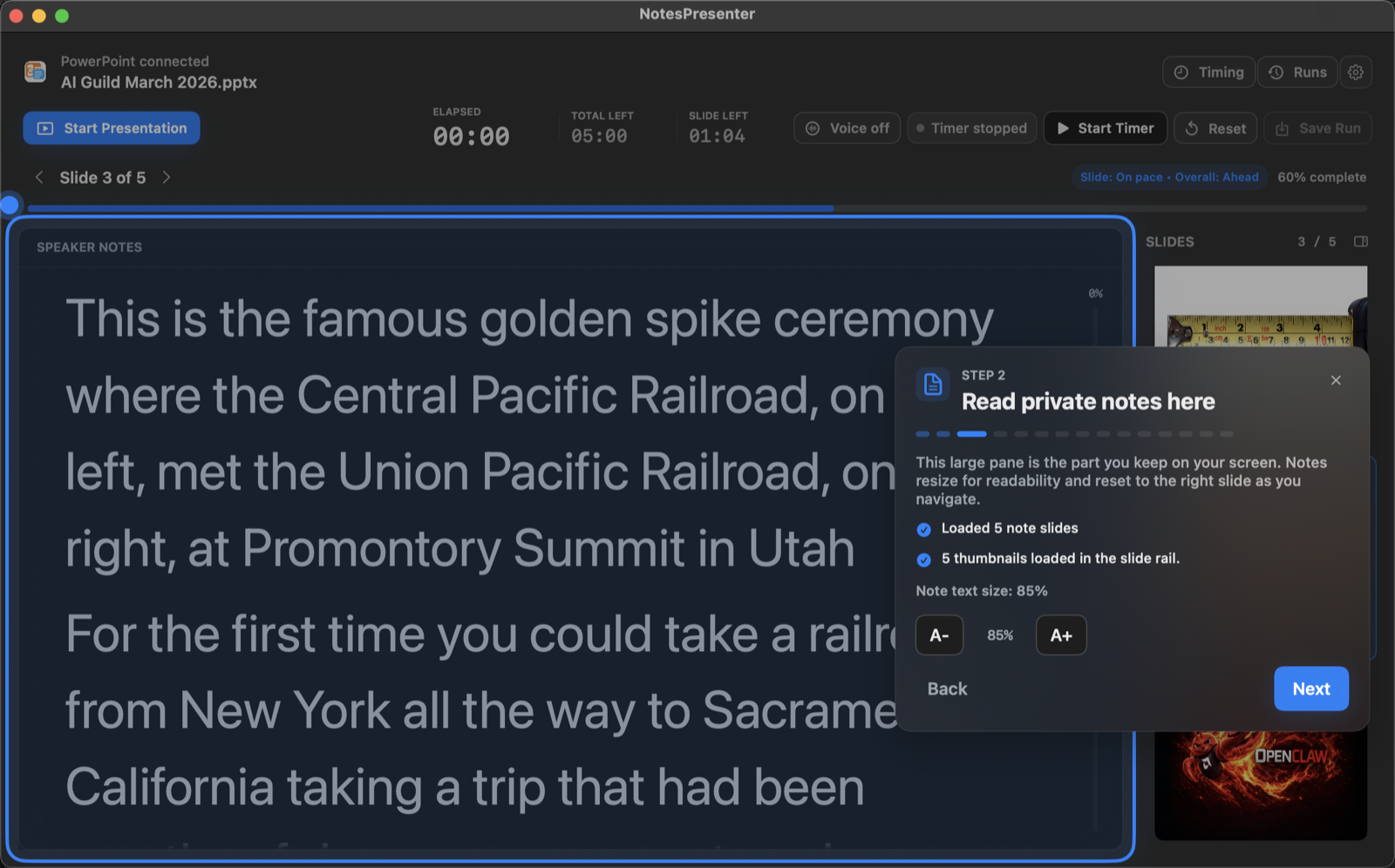
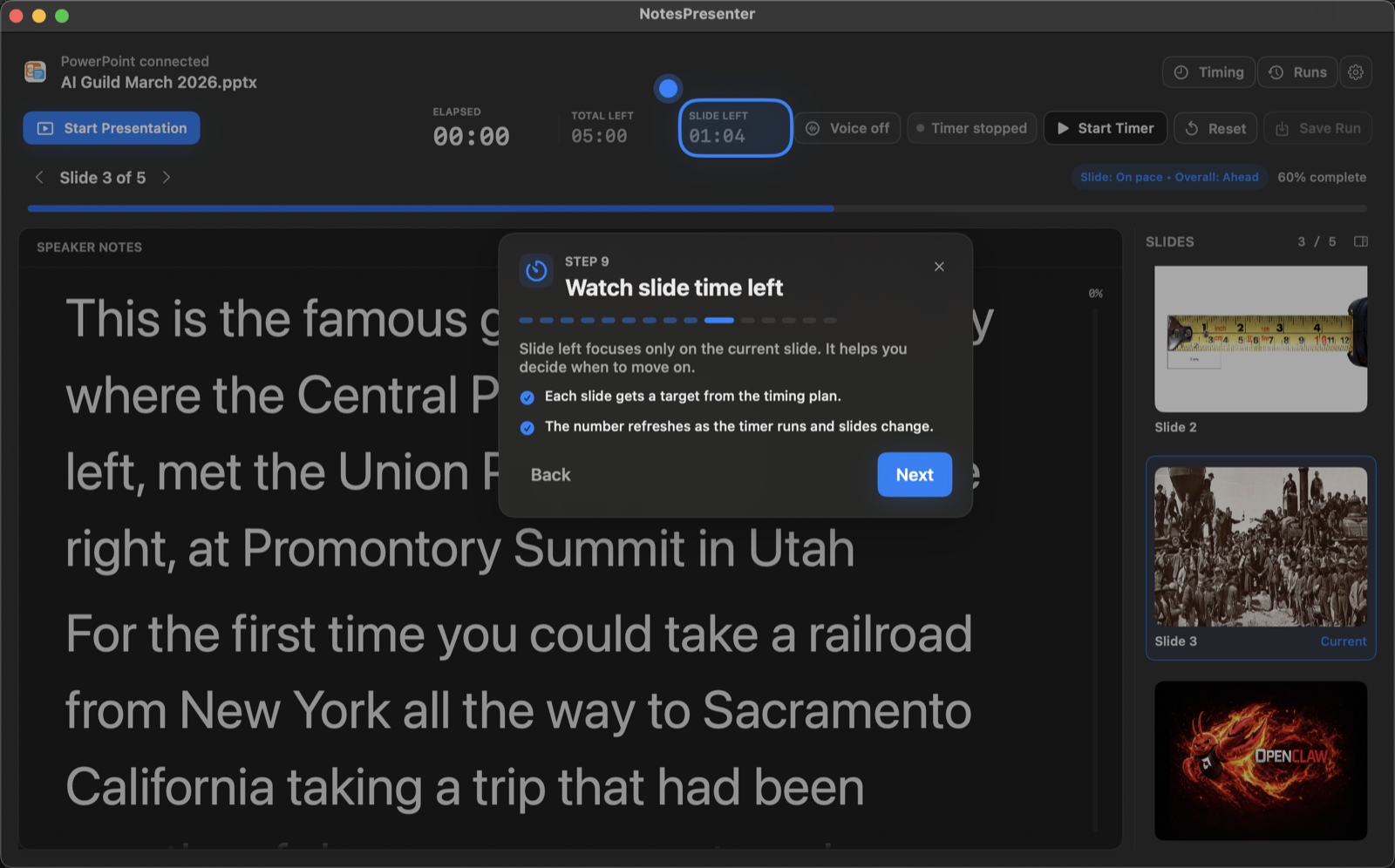
Learn the workflow before your first talk.
The onboarding walkthrough covers deck connection, private notes, presentation start, and timing so the one-screen setup is clear before you go live.
View onboarding flow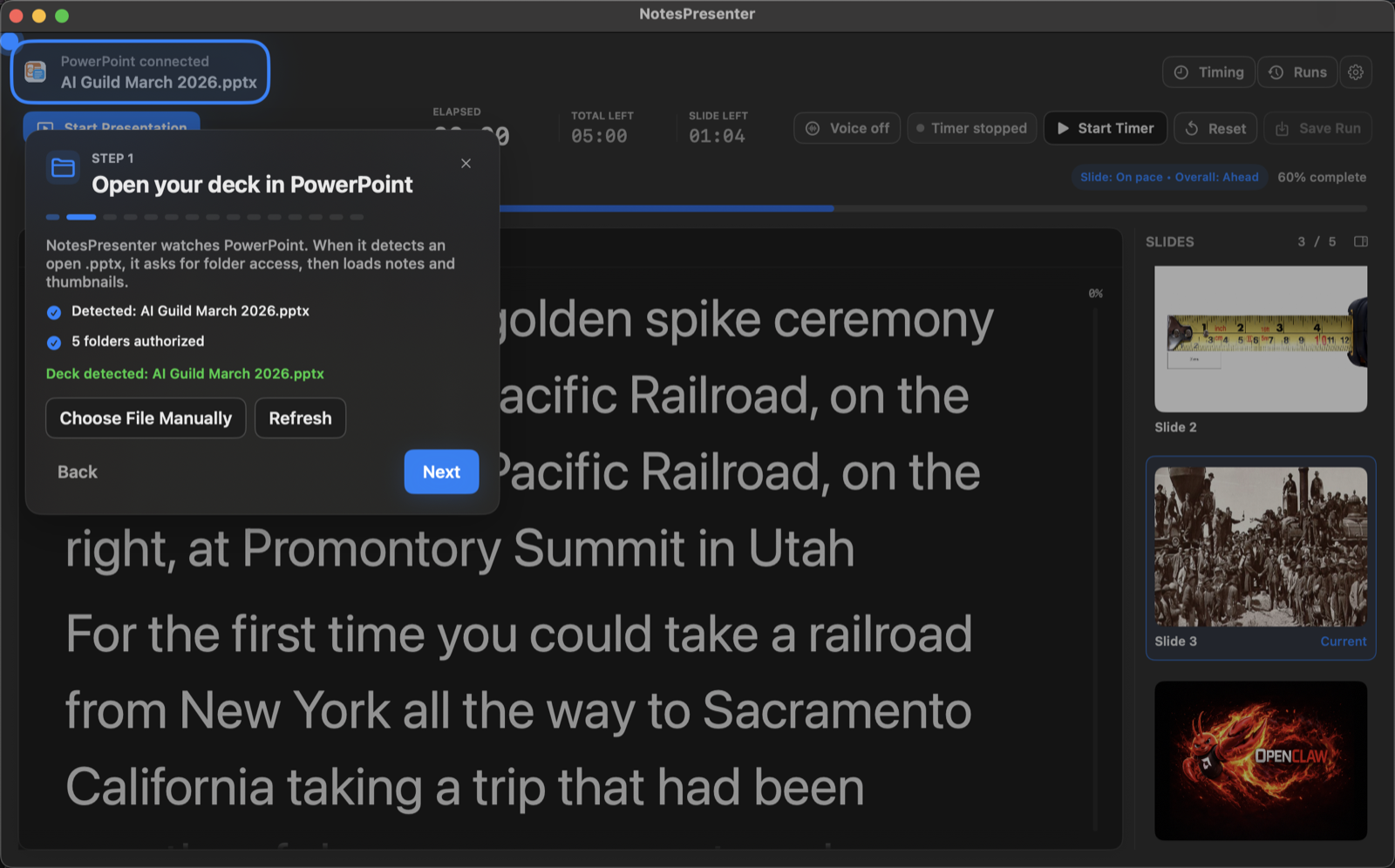
FAQ
Common questions about academic PowerPoint notes on Mac.
Can I rehearse a strict time limit?
Yes. You can create a timing plan and review rehearsal runs against the target time.
Will my audience see detailed notes?
No, if you share only the PowerPoint window. NotesPresenter stays private on your Mac.
Is this for conference talks?
Yes. NotesPresenter is useful for conference, seminar, classroom, thesis, and defense presentations where you need notes and timing.
Can I keep detailed notes private?
Yes. Share only PowerPoint and keep NotesPresenter visible locally on your Mac.
Does it help with rehearsal?
Yes. NotesPresenter includes timing plans and rehearsal runs so you can compare target time with actual time.
Does the deck leave my computer?
No. NotesPresenter reads the PowerPoint file locally and does not require cloud upload.
Rehearse and present academic PowerPoint talks from one Mac screen.
NotesPresenter keeps academic speaker notes, slide context, and timing beside PowerPoint for focused delivery.